Samsung · 2026 · open_icecat
Samsung ViewFinity S9 S95UC 49" Dual QHD, 120 Hz, 90W USB-C
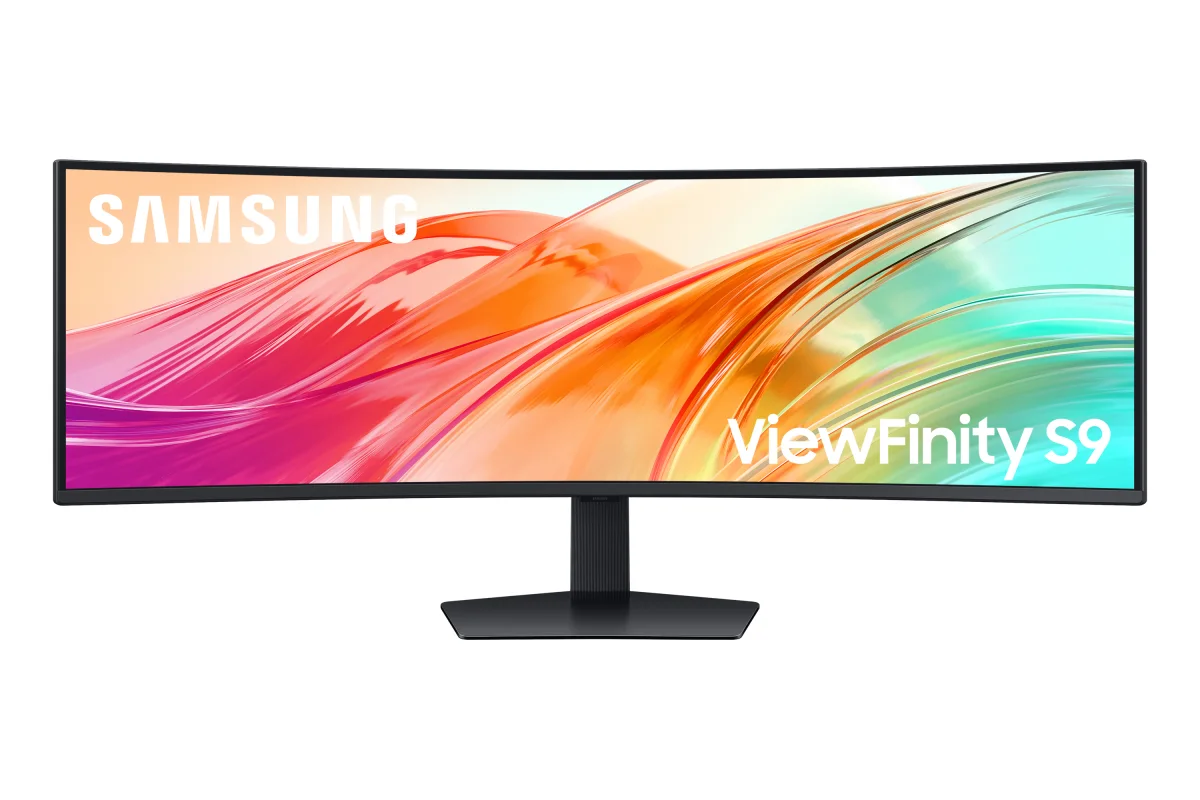
Samsung ViewFinity S9 S95UC is a 49-inch 5120 x 1440 VA ultrawide with 120 Hz refresh, 90W USB-C power delivery, Ethernet and a built-in USB hub.
Editorial Verdict“A large 49-inch ultrawide with 90W USB-C and Ethernet, but 350 nits and HDMI 2.0 limit it.”
Key Findings & Trade-offs
The S95UC is a 49-inch VA ultrawide at 5120 x 1440, which is two QHD screens' worth of desktop in one panel. It weighs 10.6 kg, so check your desk depth and any monitor arm's weight rating first. Peak brightness is 350 nits, modest for a monitor this size, and 120 Hz keeps motion smoother than a 60 Hz panel.
USB-C delivers up to 90W, enough for many laptops, and Ethernet plus three USB-A ports sit on the monitor itself. Four model codes exist for the GB and IE markets.
5120 x 1440 on a 49-inch VA panel gives two 1440p-height screens side by side with no bezel between them.
Enough to charge many laptops over one cable, but not laptops that draw more than 90W under load.
Ethernet and three USB-A ports let a keyboard, mouse and wired network plug into the monitor instead of the laptop.
Smoother than 60 Hz for scrolling and games, but 350 nits is limited headroom for bright rooms.
- Laptop users who want charging, Ethernet and USB accessories handled by one monitor.
- People replacing a two-monitor desk with a single panel that has no center bezel.
- Spreadsheet, timeline and code work that benefits from a very wide canvas.
- Your laptop charger is rated above 90W and you want one cable to run everything.
- Your desk or monitor arm cannot take a 49-inch, 10.6 kg display.
- You need brightness well above 350 nits.
Compatibility Notes
Well-Matched Laptops
Matched on verified wattage & port specs


Where to Check Availability
Direct merchant link (no redirect). Editorial specs are never influenced by availability.Verified Technical Specifications
- Wired Ethernet
- Yes
- USB-C Power Delivery
- Yes
- Weight
- 10.6 kg
- HDMI ports
- 2
- Panel
- VA
- Refresh rate
- 120 Hz
- USB-A ports
- 3
- HDMI version
- 2.0
- product family
- ViewFinity
- product series
- S9
- Max USB-C PD
- 90 W
- Display size
- 49″
- Built-in USB hub
- Yes
- DisplayPort outputs
- 1
- Resolution
- 5120 x 1440
- Peak brightness
- 350 nits
Verified Configurations & Identifiers (4)
Frequently Asked Questions
How much power does the Samsung S95UC supply over USB-C?
Up to 90W through USB-C Power Delivery. That covers many laptops, but not those that need a larger charger.
What resolution and refresh rate does the S95UC use?
It is a 49-inch VA panel at 5120 x 1440 (Dual QHD) with a 120 Hz refresh rate and 350 nits peak brightness.
Which ports does the S95UC have?
USB-C with power delivery, two HDMI 2.0 ports, one DisplayPort, three USB-A ports and Ethernet.