Lenovo · 2026 · open_icecat
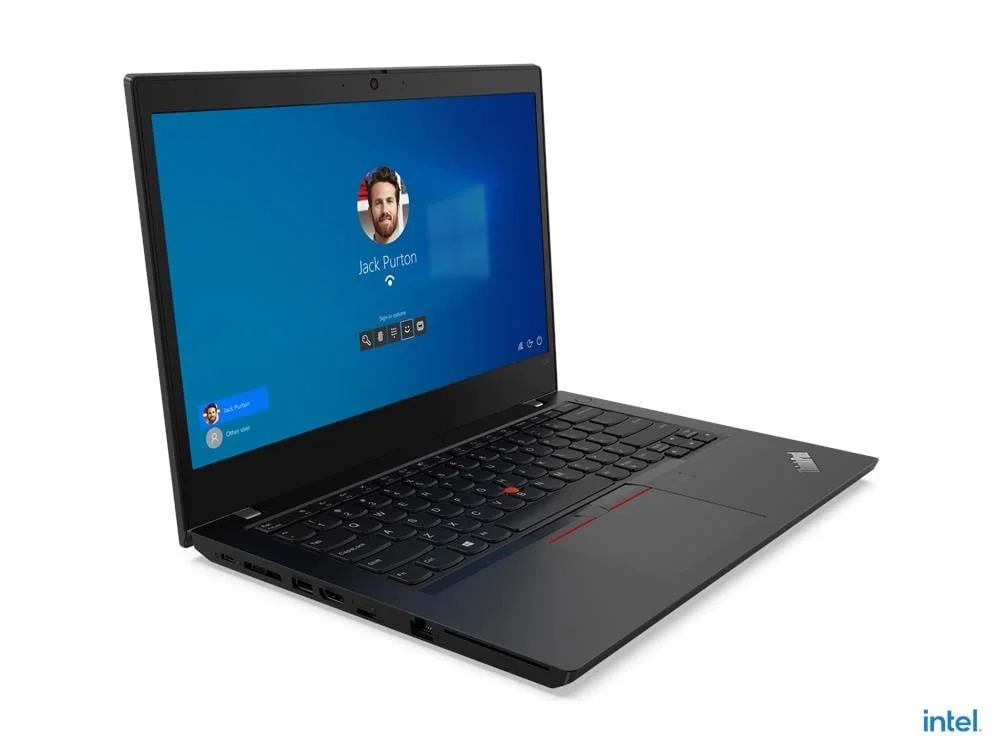
Lenovo ThinkPad L14 Gen 2 (Intel) 14-inch
A business notebook with an Intel Core i3-1115G4 processor, Windows 11 Pro and a 45 Wh battery, aimed at everyday office work.
Editorial Verdict“The ability to expand the memory is this ThinkPad’s strongest practical feature.”
Local LLM Capability (8k context · 4 GB OS reserve)
What fits in 64 GB on this chassis
Key Findings & Trade-offs
This configuration comes with 8 GB of RAM, a 256 GB SSD and integrated Intel UHD Graphics. Extra memory can help if you keep large spreadsheets open alongside several browser tabs. A sizeable photo library or document archive can eat into the available storage quickly.
Full HD (1920 × 1080) replaces the Gen 1’s 1366 × 768 resolution, so more of a document fits on screen.
IPS replaces TN, making the screen easier to read from the side.
The Gen 1 had built-in Ethernet. On the Gen 2, a wired connection requires an adapter or a dock with Ethernet.
Plug in a keyboard and mouse at the same time without a hub.
- Staff who enter records or take notes between meetings.
- Teams that use shared desks equipped with Thunderbolt docks.
- You regularly work in direct sunlight.
- You carry your laptop all day and 1.59 kg is more than you want to pack.
Compatibility Notes
Verified Compatible Desk Gear
Matched on verified wattage & port specs


Where to Check Availability
Direct merchant link (no redirect). Editorial specs are never influenced by availability.Verified Technical Specifications
- Operating system
- Windows 11 Pro
- nvme
- Yes
- Wired Ethernet
- No
- M.2 SSD slots
- 1
- Memory type
- DDR4-SDRAM
- USB-C Power Delivery
- Yes
- Rated power supply
- 65 W
- Memory slots
- 2
- Weight
- 1.59 kg
- Battery
- 45 Wh
- HDMI ports
- 1
- Rated max memory
- 64 GB
- Panel
- IPS
- USB-A ports
- 2
- USB-C ports
- 2
- HDMI version
- 2.0
- Memory speed
- 3200 MT/s
- Storage interface
- PCI Express
- product family
- ThinkPad
- usb c charging
- Yes
- Display size
- 14″
- Resolution
- 1920 x 1080
- Thunderbolt ports
- 1
- Peak brightness
- 250 nits
- Thunderbolt version
- 4
Verified Configurations & Identifiers (60)
Frequently Asked Questions
Can I connect an HDMI monitor without a dock?
Yes. The laptop has one HDMI 2.0 output.
How bright is the ThinkPad L14 Gen 2 Intel screen?
The display reaches up to 250 nits.