Samsung · 2026 · open_icecat
Samsung Odyssey G4 LS27BG400EL 27" 1080p 240 Hz IPS
27-inch Samsung Odyssey G4 gaming monitor: 1920 x 1080 IPS panel, 240 Hz refresh rate, 400 nits maximum brightness, two HDMI 2.0 and one DisplayPort.
Editorial Verdict“A no-frills 1080p, 240 Hz IPS monitor: fast, but low resolution with no USB hub or laptop charging.”
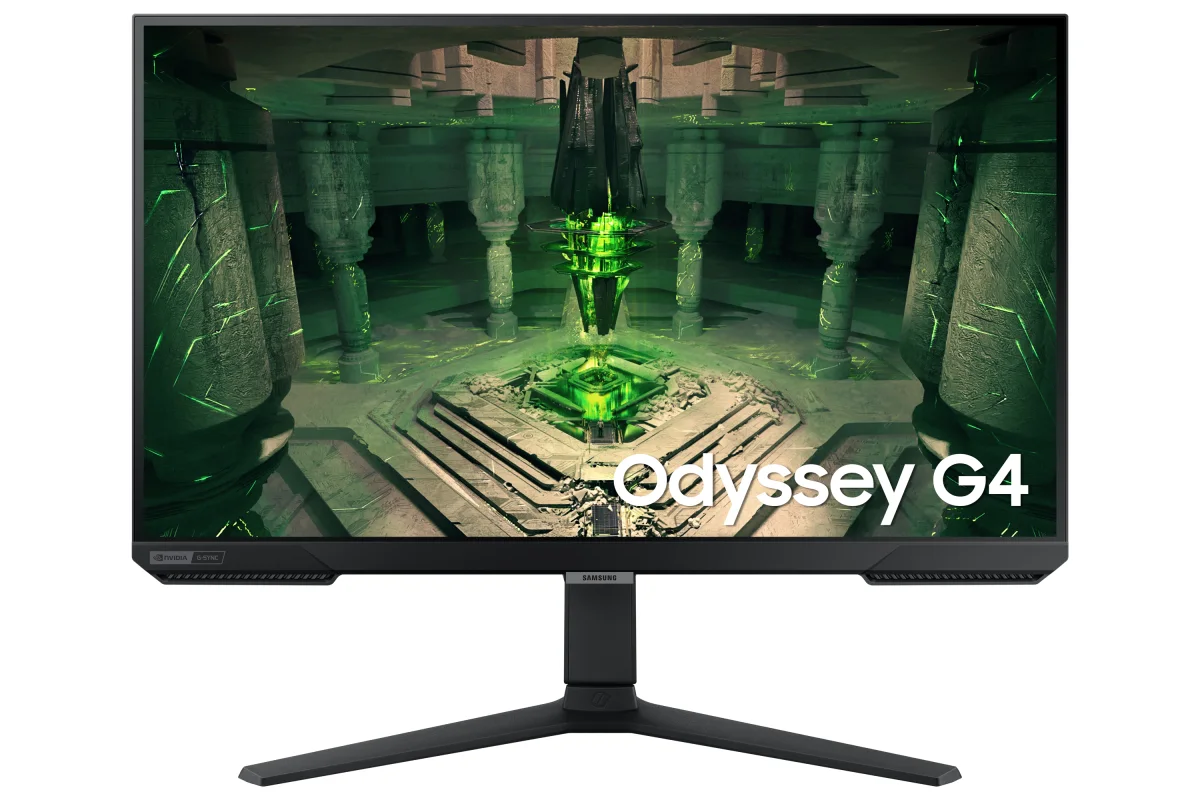
Key Findings & Trade-offs
A 27-inch 1920 x 1080 IPS panel running at 240 Hz. This is a speed-first screen, and at 27 inches 1080p looks noticeably less sharp for text than 1440p or 4K. Maximum brightness is 400 nits.
It is a plain display with no built-in USB hub, so it will not charge a laptop or work as a dock. Weight is 3.6 kg. Four model-code variants exist (MZD, XZD, XZX, XZS) across WW, BR and GB markets.
The 27-inch IPS panel refreshes at 240 Hz, which suits fast-paced games as long as your GPU can feed it.
1920 x 1080 keeps GPU demands low, but pixel density is modest, so text and desktop work look softer than on a 1440p panel.
Maximum brightness is 400 nits, which is adequate for a normal indoor room.
Two HDMI 2.0 ports and one DisplayPort cover a PC plus a second source, but there is no USB hub for peripherals.
- Players on a desktop PC or gaming Notebook who prioritise frame rate over resolution.
- Anyone who wants a 240 Hz IPS second screen for a setup with several HDMI or DisplayPort sources.
- Systems with a modest GPU, since 1080p is easy to drive at high frame rates.
- You do a lot of text, spreadsheet or photo work and want a sharper 27-inch image than 1080p gives.
- You want a one-cable laptop setup with charging, USB ports or docking built into the monitor.
Compatibility Notes
Well-Matched Laptops
Matched on verified wattage & port specs


Where to Check Availability
Direct merchant link (no redirect). Editorial specs are never influenced by availability.Verified Technical Specifications
- Weight
- 3.6 kg
- HDMI ports
- 2
- Panel
- IPS
- Refresh rate
- 240 Hz
- HDMI version
- 2.0
- product family
- Odyssey
- product series
- G4
- Display size
- 27″
- Built-in USB hub
- No
- DisplayPort outputs
- 1
- Resolution
- 1920 x 1080
- Peak brightness
- 400 nits
Verified Configurations & Identifiers (4)
Frequently Asked Questions
Does the Samsung Odyssey G4 LS27BG400EL have USB-C or a USB hub?
No. Its video inputs are two HDMI 2.0 ports and one DisplayPort, and it has no built-in USB hub, so it cannot charge a laptop or act as a dock.
What resolution and refresh rate does the LS27BG400EL have?
It has a 27-inch IPS panel with a native resolution of 1920 x 1080 and a 240 Hz refresh rate. Maximum brightness is 400 nits.
Which model codes does the Odyssey G4 LS27BG400EL come in?
Four variants exist: LS27BG400ELMZD, LS27BG400ELXZD, LS27BG400ELXZX and LS27BG400ELXZS, across WW, BR and GB markets. The monitor weighs 3.6 kg.