Samsung · 2026 · open_icecat
Samsung Odyssey G5 LC34G55TWWL 34″ Ultrawide
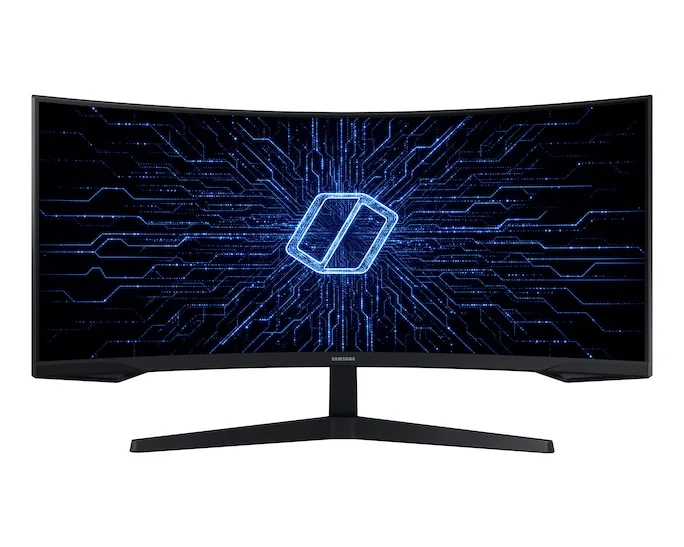
The Odyssey G5 is an ultrawide gaming monitor with a 3440 × 1440 VA panel that gives you room for a wide game view or two windows side by side.
Editorial Verdict“This G5 makes the most sense if the games you play support ultrawide output.”
Key Findings & Trade-offs
At 5.2 kg, this is a screen you’ll feel the weight of if you move it between desks. In games, how much you get out of the high refresh rate depends on how many frames your PC can render at native resolution.
There are five part numbers. When looking up your unit, match the full code, including the suffix in LC34G55TWWLMZD.
Fast motion can look smoother when your PC delivers enough frames.
A long editing timeline can stay in view with less sideways scrolling.
Keep a desktop PC and a second source connected without swapping cables.
- Racing or simulation players whose games let them use a wider field of view.
- People who use the same desk for gaming and projects with long timelines.
- You want three video sources connected directly to the monitor.
- Your desk has limited room for a wide screen.
Compatibility Notes
Well-Matched Laptops
Matched on verified wattage & port specs


Where to Check Availability
Direct merchant link (no redirect). Editorial specs are never influenced by availability.Verified Technical Specifications
- Weight
- 5.2 kg
- HDMI ports
- 1
- Panel
- VA
- Refresh rate
- 165 Hz
- HDMI version
- 2.0
- product family
- Odyssey
- product series
- G5
- Display size
- 34″
- Built-in USB hub
- No
- DisplayPort outputs
- 1
- Resolution
- 3440 x 1440
- DisplayPort version
- 1.4
Verified Configurations & Identifiers (5)
Frequently Asked Questions
How many HDMI inputs does the Odyssey G5 LC34G55TWWL have?
It has one HDMI input.
Can I plug a keyboard and mouse into the monitor?
The monitor has no built-in USB hub. Connect your peripherals to the computer or a separate hub.