Samsung · 2026 · open_icecat
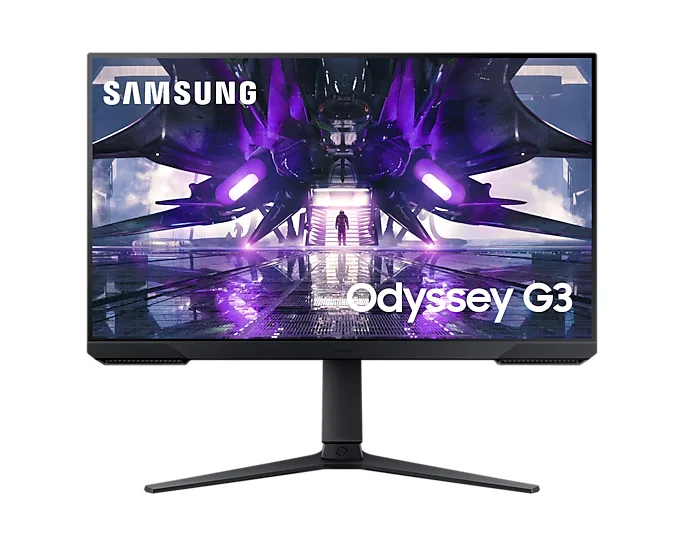
Samsung Odyssey G3 27" Full HD 165 Hz VA Gaming Monitor
Samsung Odyssey G3 is a 27-inch Full HD VA gaming monitor with 165 Hz refresh and 250 nits, plus one HDMI 1.4 and one DisplayPort 1.2 input.
Editorial Verdict“A plain 1080p, 165 Hz VA gaming monitor with minimal inputs and no USB-C or hub.”
Key Findings & Trade-offs
The Odyssey G3 pairs a 27-inch VA panel with a 1920 x 1080 resolution, so text and fine detail look softer than on a 1440p or 4K screen of the same size. The upside is that 165 Hz is easier to reach at 1080p. Peak brightness is 250 nits, which suits controlled room lighting better than a sunny desk.
There is no USB hub and no USB-C, so it is video only over one HDMI 1.4 or one DisplayPort 1.2 input. Five model codes cover the WW and BR markets.
165 Hz on a 27-inch VA panel gives smooth motion in fast games, as long as your graphics card can feed it.
1920 x 1080 at 27 inches keeps GPU demands low, but text and detail look softer than on higher-resolution screens of that size.
250 nits peak is fine in dim to normally lit rooms and will struggle next to a bright window.
One HDMI 1.4 and one DisplayPort 1.2, with no built-in USB hub, so keyboard, mouse and headset stay plugged into the PC.
- Gamers with a modest graphics card who want 165 Hz motion at 1080p.
- Desktop PC owners who connect over DisplayPort and do not need a USB hub on the monitor.
- Players in normally lit or dim rooms where 250 nits is enough.
- You want USB-C single-cable charging or docking for a laptop, because there is no USB-C or hub.
- You want sharper text at 27 inches, since 1080p is the ceiling here.
- You work near a bright window and need more than 250 nits of peak brightness.
Compatibility Notes
Well-Matched Laptops
Matched on verified wattage & port specs


Where to Check Availability
Direct merchant link (no redirect). Editorial specs are never influenced by availability.Verified Technical Specifications
- HDMI ports
- 1
- Panel
- VA
- Refresh rate
- 165 Hz
- HDMI version
- 1.4
- product family
- Odyssey
- Display size
- 27″
- Built-in USB hub
- No
- DisplayPort outputs
- 1
- Resolution
- 1920 x 1080
- Peak brightness
- 250 nits
- DisplayPort version
- 1.2
Verified Configurations & Identifiers (5)
Frequently Asked Questions
Does the Samsung Odyssey G3 have USB-C?
No. It has one HDMI 1.4 port and one DisplayPort 1.2 port, and no built-in USB hub.
What resolution and refresh rate does the Odyssey G3 offer?
It is a 27-inch VA panel with a native 1920 x 1080 resolution and a 165 Hz refresh rate.
Which model codes does the Odyssey G3 come in?
LS27AG320NLXZD, LS27AG320NUXXU, LS27AG320NLXZX, LS27AG320NEXXY and LS27AG320NLXZS, covering the WW and BR markets.