Lenovo · 2026 · open_icecat
Lenovo ThinkVision P27h-30 27-inch QHD Monitor, 100W USB-C
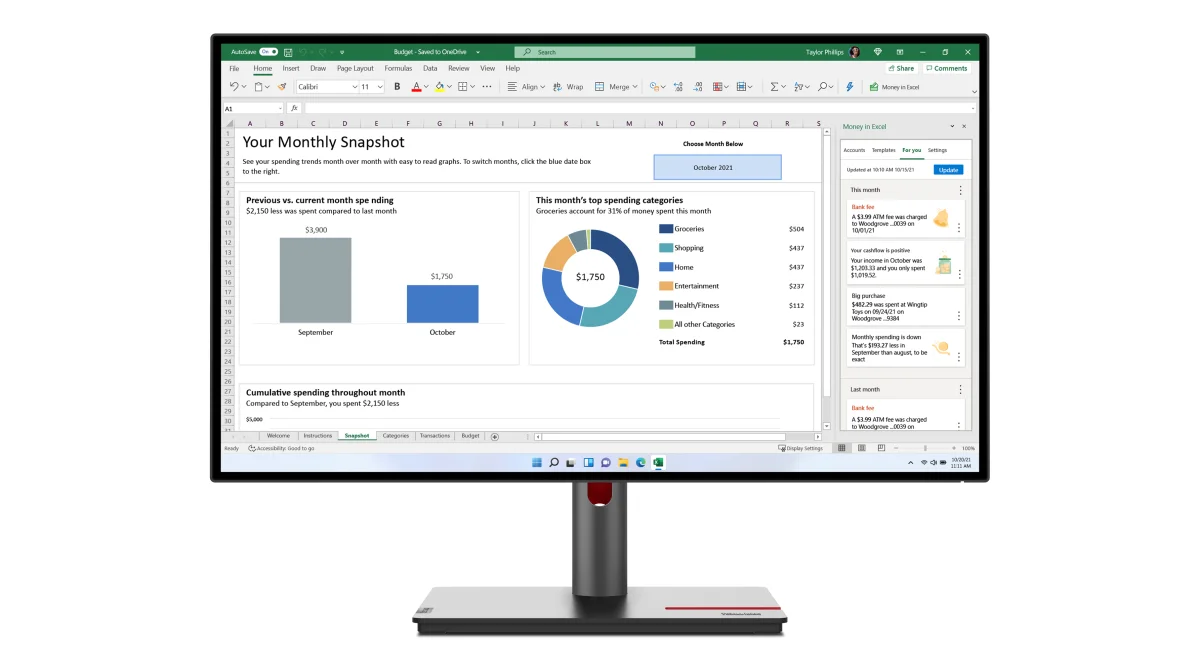
Lenovo ThinkVision P27h-30 is a 27-inch 2560 x 1440 IPS monitor with 100W USB-C power delivery, four USB-A ports and Ethernet, at 60 Hz.
Editorial Verdict“A 100 W USB-C QHD monitor for one-cable desks, provided 60 Hz and 350 nits are enough.”
Key Findings & Trade-offs
The P27h-30 is a 27-inch 2560 x 1440 IPS panel limited to 60 Hz and 350 nits, so it suits desk work better than fast games or bright rooms. Its main draw is connectivity: one USB-C port with up to 100 W power delivery and DisplayPort Alt Mode, plus Ethernet and four USB-A ports.
At 4.9 kg it is a desk monitor, not something you move around. Four part numbers exist, including UK and EU codes, so check the code against your region.
Up to 100 W over the single USB-C port with DisplayPort Alt Mode, so one cable can carry video and charge a laptop that needs 100 W or less.
Four USB-A ports and Ethernet on the monitor reduce the need for a separate dock when you plug in a keyboard, drives and a wired network.
27 inches at 2560 x 1440 gives more working room than 1080p without the heavy scaling of a 4K panel; 350 nits and 60 Hz suit office work.
Two DisplayPort 1.4 inputs and one HDMI 2.1 input let a second or third computer share the screen.
- Laptop users who want one cable for video, charging up to 100 W, Ethernet and USB-A peripherals.
- Office, document and spreadsheet work where 27-inch QHD gives more room than 1080p.
- Desks shared by two or three computers using the DisplayPort and HDMI inputs.
- You play fast games or want smooth motion, since the panel tops out at 60 Hz.
- Your laptop needs more than 100 W under load, so USB-C would only act as a top-up.
- You work in bright rooms or need to carry the screen, given 350 nits and a 4.9 kg weight.
Compatibility Notes
Well-Matched Laptops
Matched on verified wattage & port specs


Where to Check Availability
Direct merchant link (no redirect). Editorial specs are never influenced by availability.Verified Technical Specifications
- Wired Ethernet
- Yes
- USB-C Power Delivery
- Yes
- Weight
- 4.9 kg
- HDMI ports
- 1
- Panel
- IPS
- Refresh rate
- 60 Hz
- DisplayPort Alt Mode
- Yes
- USB-A ports
- 4
- USB-C ports
- 1
- HDMI version
- 2.1
- product family
- ThinkVision
- Max USB-C PD
- 100 W
- Display size
- 27″
- Built-in USB hub
- Yes
- DisplayPort outputs
- 2
- Resolution
- 2560 x 1440
- Peak brightness
- 350 nits
- DisplayPort version
- 1.4
Verified Configurations & Identifiers (4)
Frequently Asked Questions
How much power does the ThinkVision P27h-30 deliver over USB-C?
Up to 100 W through its single USB-C port, which also supports DisplayPort Alt Mode for video.
What resolution and refresh rate does the P27h-30 have?
It is a 27-inch IPS panel with a native resolution of 2560 x 1440 at 60 Hz and a maximum brightness of 350 nits.
Which ports does the ThinkVision P27h-30 have?
One USB-C port, four USB-A ports, two DisplayPort 1.4 ports, one HDMI 2.1 port and Ethernet, with a built-in USB hub.