Lenovo · 2026 · open_icecat
Lenovo ThinkVision T24i-30 23.8" 1080p IPS Monitor, 60 Hz
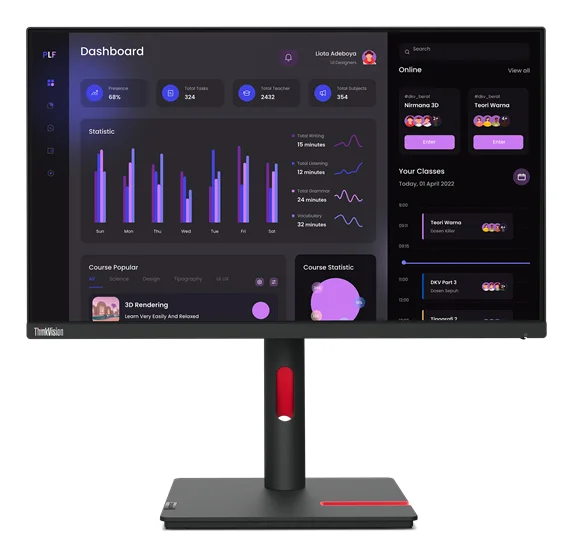
Lenovo ThinkVision T24i-30 is a 23.8-inch 1920 x 1080 IPS monitor with 60 Hz refresh, 250 nits brightness and a built-in hub with four USB-A ports.
Editorial Verdict“A plain 1080p IPS office monitor with a USB hub, not built for sharp text density or fast motion.”
Key Findings & Trade-offs
The T24i-30 is a 2026 ThinkVision office panel: 23.8-inch IPS at 1920 x 1080, 60 Hz and 250 nits. Video comes in over one HDMI 1.4 or one DisplayPort 1.2 input, and a built-in USB hub adds four USB-A ports.
At 3.4 kg it is a fixed-desk monitor, not something to carry around. There are 15 variants, and the model codes carry regional suffixes such as XWW, US, EU, CH and IT, so check the code that matches your region.
23.8-inch IPS at 1920 x 1080 gives ordinary desktop pixel density, so text is readable but not as crisp as on a 4K screen.
60 Hz and 250 nits suit documents, email and video calls in a normal indoor room, but not fast games or bright, sunlit desks.
One HDMI 1.4 and one DisplayPort 1.2 input both handle 1080p at 60 Hz, so you can keep two sources connected and switch between them.
Four built-in USB-A ports let you park a keyboard, mouse and other accessories on the monitor instead of on the laptop.
- Office desks that need a simple second or main screen for documents, spreadsheets and video calls
- Users who want a few USB-A ports at monitor level for a keyboard, mouse or drive
- You want sharper text or more workspace, since 1920 x 1080 on 23.8 inches is a modest pixel count
- You play fast-paced games or edit color-critical work, where 60 Hz and 250 nits fall short
- You want a single USB-C cable from laptop to screen
Compatibility Notes
Well-Matched Laptops
Matched on verified wattage & port specs


Where to Check Availability
Direct merchant link (no redirect). Editorial specs are never influenced by availability.Verified Technical Specifications
- Weight
- 3.4 kg
- HDMI ports
- 1
- Panel
- IPS
- Refresh rate
- 60 Hz
- USB-A ports
- 4
- HDMI version
- 1.4
- product family
- ThinkVision
- Display size
- 23.8″
- Built-in USB hub
- Yes
- DisplayPort outputs
- 1
- Resolution
- 1920 x 1080
- Peak brightness
- 250 nits
- DisplayPort version
- 1.2
Verified Configurations & Identifiers (15)
Frequently Asked Questions
What resolution and refresh rate does the ThinkVision T24i-30 have?
It is a 23.8-inch IPS panel at 1920 x 1080 (Full HD) with a 60 Hz refresh rate and a maximum brightness of 250 nits.
Which ports does the T24i-30 have?
It has one HDMI 1.4 port, one DisplayPort 1.2 port and a built-in USB hub with four USB-A ports. A USB-C-only laptop would need an adapter or cable converting to HDMI or DisplayPort.
Is the T24i-30 suitable for gaming?
Not really. The 60 Hz refresh rate and 250 nits brightness point to office use rather than high-refresh gaming.