Lenovo · 2026 · open_icecat
Lenovo L22e-40 21.4-inch Monitor
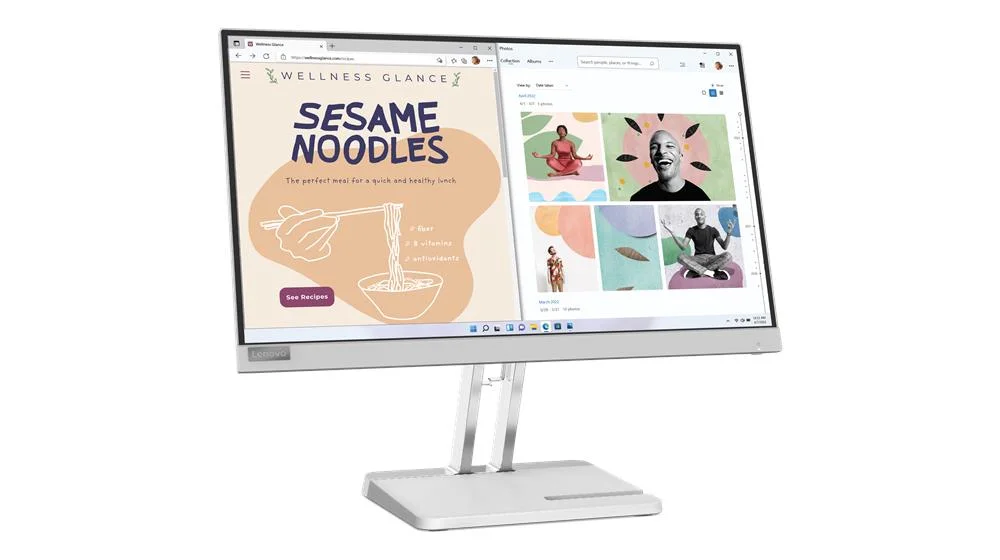
A Full HD VA monitor with a 75 Hz refresh rate for everyday desk work, from editing documents and spreadsheets to reading in a web browser.
Editorial Verdict“This is a basic second screen for a small desk.”
Key Findings & Trade-offs
The L22e-40 makes sense beside a laptop when you want to keep a document in view while you work. It has no built-in USB hub, so your keyboard and mouse connect to the computer or dock. Lenovo uses six part numbers for this model, including 67AFKACBIN. Check the full code when matching a listing to a spec sheet.
The 250-nit maximum leaves limited headroom in strong daylight.
At 2.2 kg, the monitor is easy to lift when rearranging your desk.
One HDMI input lets you connect one source directly at a time.
- Laptop users who want to keep chat or email visible on a separate screen.
- Home office users who can leave the monitor connected to one desktop PC.
- Your desk gets strong daylight and you need a brighter display.
- You want one cable from the monitor to carry video, laptop power and USB peripherals.
Compatibility Notes
Well-Matched Laptops
Matched on verified wattage & port specs


Where to Check Availability
Direct merchant link (no redirect). Editorial specs are never influenced by availability.Verified Technical Specifications
- Wired Ethernet
- No
- USB-C Power Delivery
- No
- Weight
- 2.2 kg
- HDMI ports
- 1
- Panel
- VA
- Refresh rate
- 75 Hz
- DisplayPort Alt Mode
- No
- HDMI version
- 1.4
- Display size
- 21.4″
- Built-in USB hub
- No
- Resolution
- 1920 x 1080
- Peak brightness
- 250 nits
Verified Configurations & Identifiers (6)
Frequently Asked Questions
What is the native resolution of the Lenovo L22e-40?
The native resolution is 1920 × 1080 pixels.
Which HDMI version does the Lenovo L22e-40 use?
Its video input uses HDMI 1.4.