Lenovo · 2026 · open_icecat
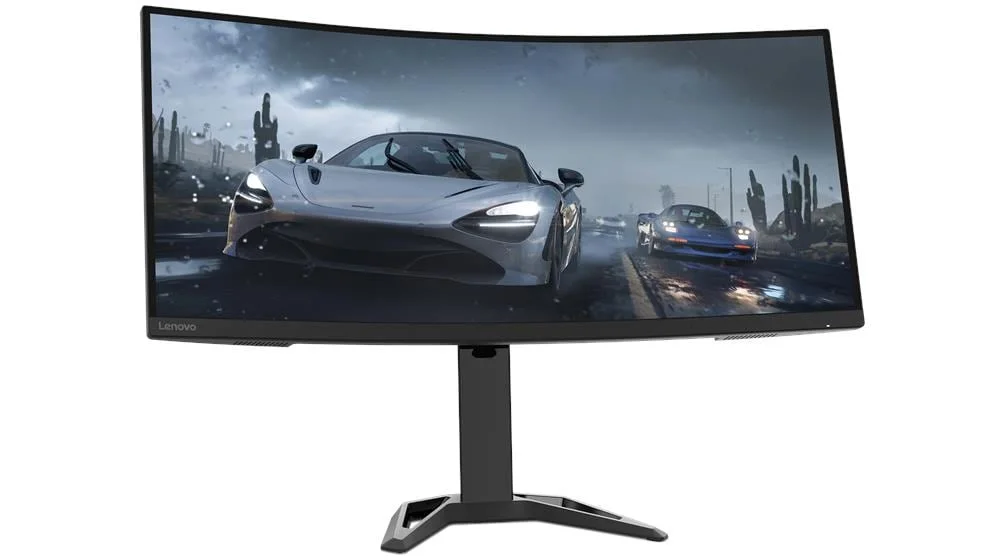
Lenovo G34w-30 34" Ultrawide, 3440 x 1440 VA, 170 Hz
Lenovo G34w-30 is a 34-inch 3440 x 1440 VA ultrawide gaming monitor with a 170 Hz refresh rate, two HDMI 2.1 ports and one DisplayPort 1.4.
Editorial Verdict“A plain 170 Hz ultrawide for desktops and gaming rigs, but not a one-cable laptop monitor.”
Key Findings & Trade-offs
The G34w-30 is a 2026 ultrawide with a VA panel, 3440 x 1440 resolution and 170 Hz refresh. Peak brightness is 350 nits, so it suits a normally lit indoor room better than a sunlit desk.
The catch is connectivity: no USB-C, no power delivery, no DisplayPort Alt Mode and no built-in USB hub. A laptop needs HDMI or DisplayPort plus its own charger. Five regional part numbers exist (MY, IT, EU, UK, CH).
34-inch 3440 x 1440 gives wide side-by-side window space without the pixel load of a 4K panel.
worth having if your PC can push frames well beyond 60 fps; otherwise the extra refresh rate goes unused.
350 nits peak is modest, so plan for controlled room lighting rather than a window-facing desk.
two HDMI 2.1 ports and one DisplayPort 1.4 let you keep a PC and a second source connected without swapping cables.
- Desktop PC gamers who want an ultrawide 170 Hz panel at 3440 x 1440 without stepping up to 4K.
- Multi-device setups that need two HDMI 2.1 sources plus a DisplayPort connection on one screen.
- You want a single USB-C cable that carries video and charges your laptop.
- You need a built-in USB hub to share peripherals between machines.
- Your desk gets strong daylight and you want more than 350 nits of brightness.
Compatibility Notes
Well-Matched Laptops
Matched on verified wattage & port specs


Where to Check Availability
Direct merchant link (no redirect). Editorial specs are never influenced by availability.Verified Technical Specifications
- Wired Ethernet
- No
- USB-C Power Delivery
- No
- Weight
- 6.6 kg
- HDMI ports
- 2
- Panel
- VA
- Refresh rate
- 170 Hz
- DisplayPort Alt Mode
- No
- HDMI version
- 2.1
- Display size
- 34″
- Built-in USB hub
- No
- DisplayPort outputs
- 1
- Resolution
- 3440 x 1440
- Peak brightness
- 350 nits
- DisplayPort version
- 1.4
Verified Configurations & Identifiers (5)
Frequently Asked Questions
Does the Lenovo G34w-30 charge a laptop over USB-C?
No. It has no USB-C port, no power delivery and no DisplayPort Alt Mode, so a laptop needs HDMI or DisplayPort for video and its own charger.
What resolution and refresh rate does the G34w-30 have?
It is a 34-inch VA panel with a native resolution of 3440 x 1440 and a 170 Hz refresh rate.
Which ports does the Lenovo G34w-30 have?
Two HDMI 2.1 ports and one DisplayPort 1.4. There is no built-in USB hub and no Ethernet.