HP · 2026 · open_icecat
HP Series 5 Pro 27 527fd G2: 27-inch FHD 120Hz, USB-C 100W
HP Series 5 Pro 27 527fd G2 is a 27-inch 1920 x 1080 IPS docking monitor with 120 Hz, USB-C up to 100 W PD, Ethernet and a built-in USB hub.
Editorial Verdict“A practical single-cable dock monitor for office desks, but 1080p on 27 inches limits sharpness.”
Key Findings & Trade-offs
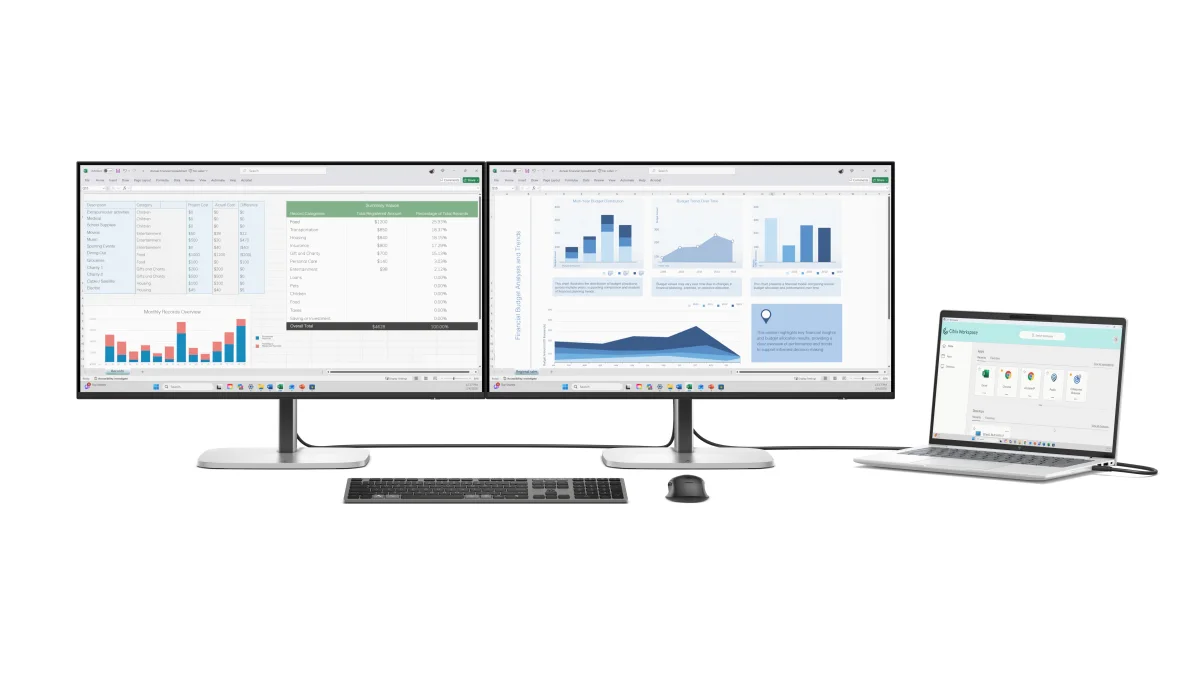
This 27-inch Full HD IPS monitor doubles as a dock: one USB-C port carries video and up to 100 W of power to a laptop, and Ethernet and three USB-A ports are built in. At 1080p on 27 inches, text is softer than on 1440p or 4K panels, so it suits spreadsheets and documents better than detailed visual work.
Peak brightness is 350 nits and refresh is 120 Hz, which scrolls more smoothly than 60 Hz. It weighs 5.65 kg. Three variants share the D33DFUT model code.
One USB-C port with DisplayPort Alt Mode and up to 100 W power delivery handles video and laptop charging together, which covers most thin-and-light laptops.
Ethernet plus three USB-A ports through the monitor's USB hub means fewer separate dongles on the desk.
The 27-inch IPS panel runs at 120 Hz with 350 nits peak brightness, so motion is smooth but bright rooms may expose the modest output.
1920 x 1080 is easy on a laptop's graphics, but text looks less crisp than on 1440p or 4K screens of the same size.
- Laptop users who want one cable for video, charging, wired network and USB peripherals.
- Office and spreadsheet work on a desk shared by more than one source device.
- Anyone who wants a smoother 120 Hz refresh than a typical 60 Hz office monitor.
- You want sharp text or fine image detail; 1080p stretched over 27 inches is noticeably softer than 1440p or 4K.
- Your laptop draws more than 100 W under load and needs a full-power charger.
- You work in bright rooms and need more than 350 nits.
Compatibility Notes
Well-Matched Laptops
Matched on verified wattage & port specs


Where to Check Availability
Direct merchant link (no redirect). Editorial specs are never influenced by availability.Verified Technical Specifications
- Wired Ethernet
- Yes
- USB-C Power Delivery
- Yes
- Weight
- 5.65 kg
- HDMI ports
- 1
- Panel
- IPS
- Refresh rate
- 120 Hz
- DisplayPort Alt Mode
- Yes
- USB-A ports
- 3
- USB-C ports
- 1
- HDMI version
- 2.0
- product family
- Series 5 Pro
- Max USB-C PD
- 100 W
- Display size
- 27″
- Built-in USB hub
- Yes
- DisplayPort outputs
- 1
- Resolution
- 1920 x 1080
- Peak brightness
- 350 nits
- DisplayPort version
- 1.4
Verified Configurations & Identifiers (3)
Frequently Asked Questions
How much power does the HP 527fd G2 deliver over USB-C?
The USB-C port delivers up to 100 W of power, enough to charge most thin-and-light laptops while it also carries the video signal.
What resolution and refresh rate does the HP 527fd G2 have?
It is a 27-inch IPS panel with 1920 x 1080 resolution, a 120 Hz refresh rate and 350 nits peak brightness.
Which ports does the HP 527fd G2 have?
It has one USB-C, one HDMI 2.0, one DisplayPort 1.4 and three USB-A ports, plus Ethernet and a built-in USB hub.