StarTech.com · 2026 · open_icecat
StarTech.com 174B-USB4-MULTIPORT Dual-4K Mini Dock
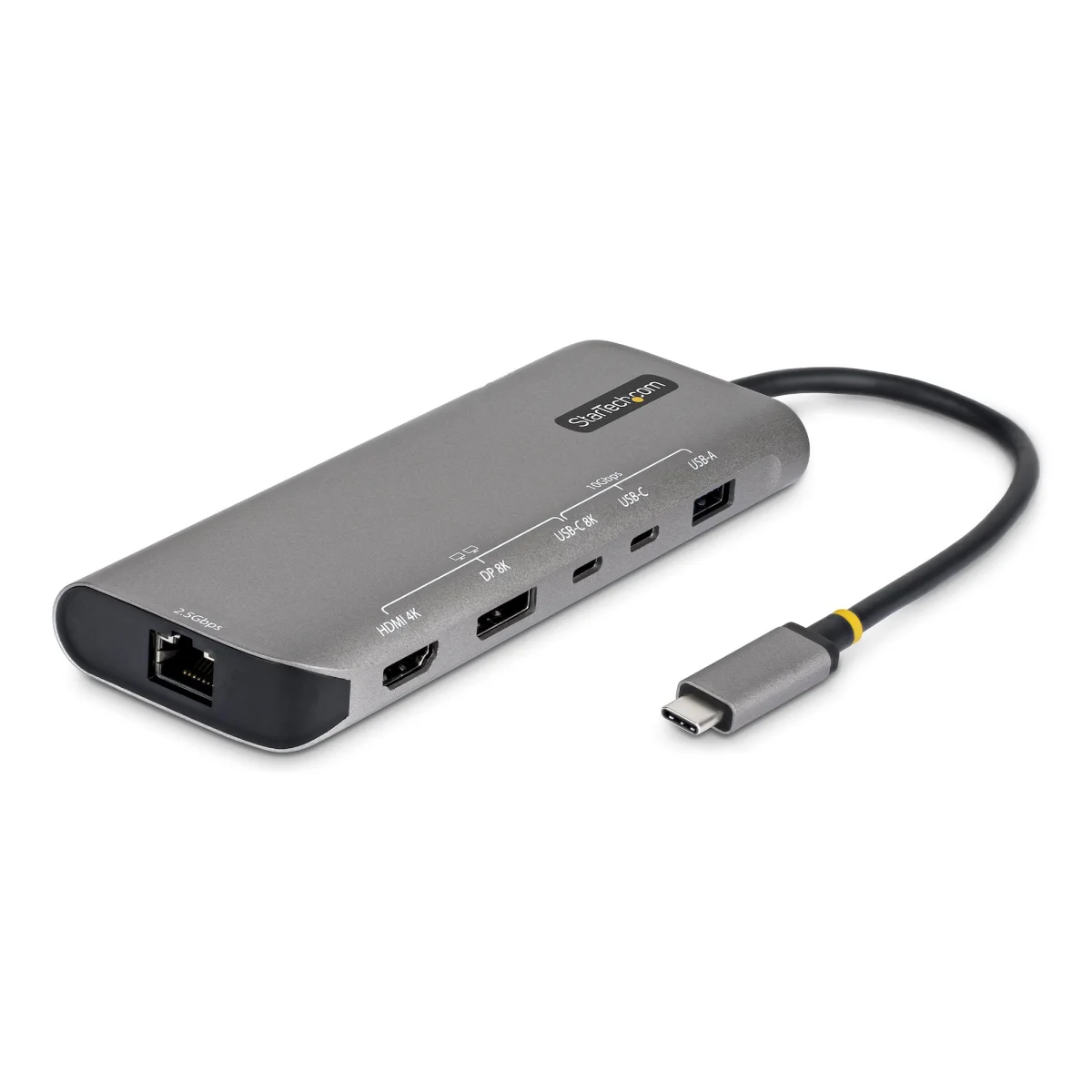
This compact USB4 dock pairs a 40 Gbps host link with a three-port 10 Gbps USB hub and 2.5GbE for wired networking at the desk.
Editorial Verdict“This mini dock makes sense when you move between desks and use two monitors.”
Key Findings & Trade-offs
The dock has one HDMI 2.0 output and one DisplayPort 1.4 output. That layout suits a desk where the two monitors use different inputs. If you carry the dock between desks, check the monitor inputs at each location so you know which video cables to pack.
At 200 g, the adapter adds little weight to a laptop bag.
Three USB-C ports and one USB-A port give you a place to plug in both connector types.
Reaching 2.5 Gbps requires a network port at the other end that supports the same speed.
- People who move their laptop between desks with wired network access.
- People who use a Mac and a Windows laptop in turn at the same two-monitor desk.
- Both monitors need a direct HDMI connection.
- Several USB-A accessories need to stay plugged in at once.
Compatibility Notes
Well-Matched Laptops
Matched on verified wattage & port specs


Where to Check Availability
Direct merchant link (no redirect). Editorial specs are never influenced by availability.Verified Technical Specifications
- Wired Ethernet
- Yes
- USB-C Power Delivery
- Yes
- Weight
- 0.2 kg
- HDMI ports
- 1
- Refresh rate
- 240 Hz
- DisplayPort Alt Mode
- Yes
- USB-A ports
- 1
- USB-C ports
- 3
- HDMI version
- 2.0
- Data rate
- 40 Gbps
- Host interface
- USB4
- max resolution
- 7680 x 4320
- Host PD passthrough
- 140 W
- DisplayPort outputs
- 1
- DisplayPort version
- 1.4
Verified Configurations & Identifiers (1)
Frequently Asked Questions
Do I need a display driver on macOS or Windows?
Display output is driverless on both macOS and Windows.
What is the maximum display resolution?
The maximum resolution is 7680 × 4320 pixels.