StarTech.com · 2026 · open_icecat
StarTech.com 208AU-USB4-DOCK USB4 Dock
Driverless USB4 dock for Mac and Windows with support for two 4K displays at 144 Hz and a 2.5 GbE port for a wired network connection.
Editorial Verdict“This dock makes the most sense on a desk built around DisplayPort.”
Key Findings & Trade-offs
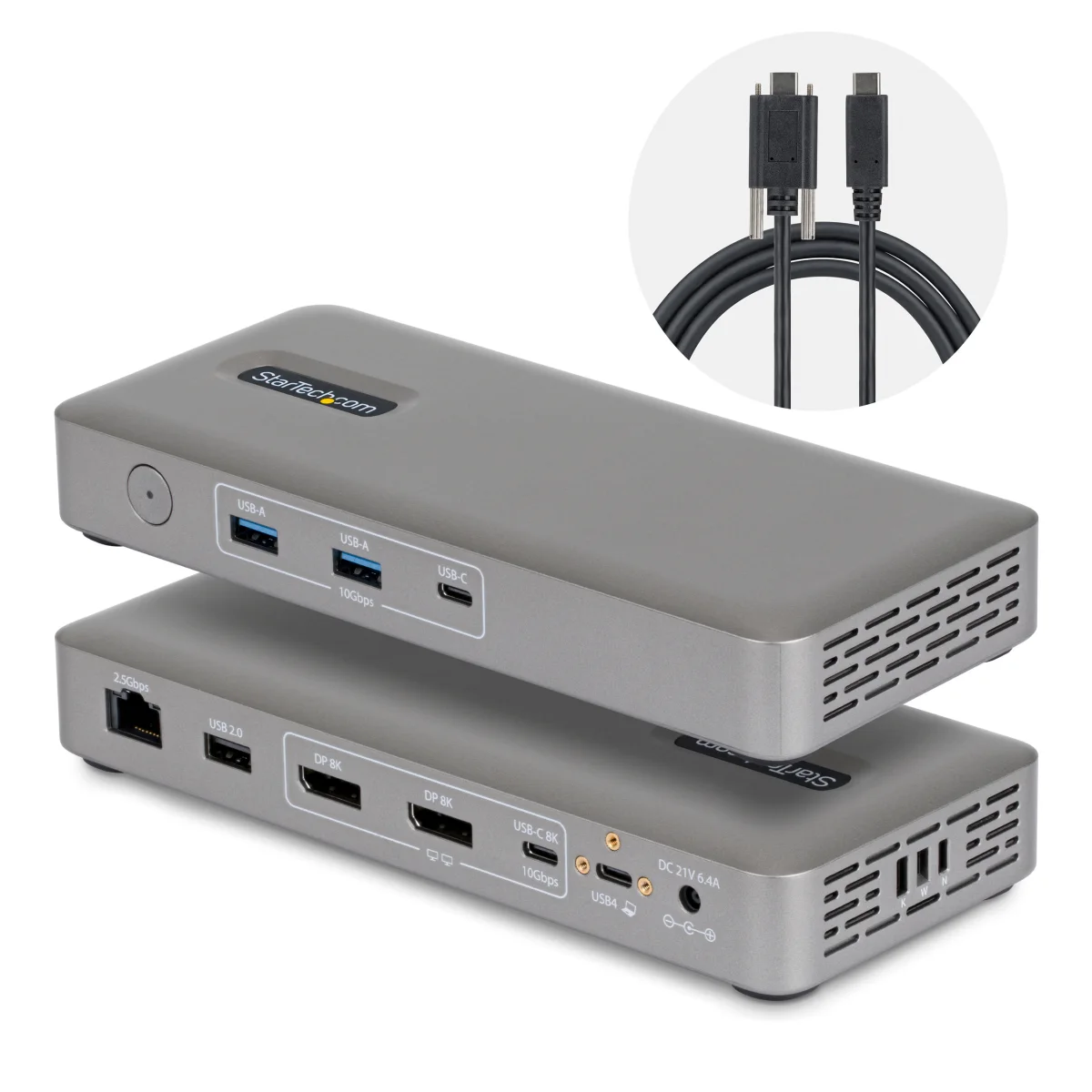
Leave your monitors, wired network and USB accessories connected at the desk and hook up the laptop through a single USB-C cable. When planning the setup, check the inputs on your monitors and count how many accessories need USB-A and how many need USB-C.
Two outputs let you connect two DisplayPort monitors directly.
Two USB-A and two USB-C ports give you room for a mix of older and newer accessories.
USB data transfer tops out at 10 Gb/s, which is the ceiling to keep in mind for a fast external SSD.
- Mac or Windows users setting up a desk with two high-refresh DisplayPort monitors.
- Laptop users who regularly unplug to work elsewhere and want wired networking when they return.
- You need one dock to drive three or more external displays.
- Your laptop needs more than 100 W from the dock while you work.
Compatibility Notes
Well-Matched Laptops
Matched on verified wattage & port specs


Where to Check Availability
Direct merchant link (no redirect). Editorial specs are never influenced by availability.Verified Technical Specifications
- Wired Ethernet
- Yes
- USB-C Power Delivery
- Yes
- Weight
- 0.332 kg
- Refresh rate
- 240 Hz
- DisplayPort Alt Mode
- Yes
- USB-A ports
- 2
- USB-C ports
- 2
- Data rate
- 10 Gbps
- Host interface
- USB4
- max resolution
- 7680 x 4320
- Host PD passthrough
- 100 W
- DisplayPort outputs
- 2
- Max external displays
- 2
Verified Configurations & Identifiers (1)
Frequently Asked Questions
What is the dock’s maximum display resolution?
The maximum display resolution is 7680 × 4320 pixels.
Which markets is the 208AU-USB4-DOCK intended for?
This model is intended for Australia and New Zealand.