HP · 2026 · open_icecat
HP USB-C Travel Dock: HDMI, Ethernet and USB-A
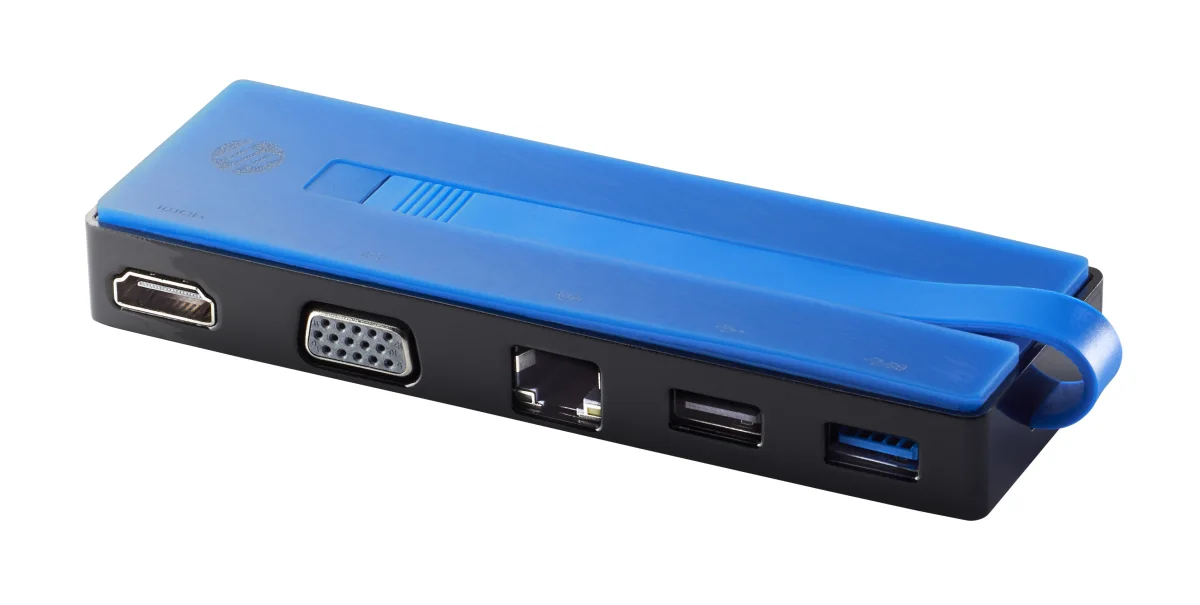
HP USB-C Travel Dock (T0K29AA#ABA) is a wired USB-C dock with one HDMI port, one USB-A port and Ethernet, connecting over USB 3.2 Gen 1 Type-C.
Editorial Verdict“A basic one-monitor, one-cable travel dock: fine for hotel desks, too thin for a permanent workstation.”
Key Findings & Trade-offs
This is a small wired dock that adds HDMI, Ethernet and one USB-A port to a laptop through a single USB-C connection. It is a 2026 release in a single black configuration.
The tradeoff is scale: with one HDMI output and one USB-A port, it covers a monitor, a wired network and one accessory, not a full desk. It runs on USB 3.2 Gen 1 rather than Thunderbolt, so treat it as a travel and light-desk adapter, not a multi-display dock.
One HDMI port drives a single external monitor or TV, which covers presentations and hotel-room setups.
Built-in Ethernet gives you a cabled connection when Wi-Fi is congested or restricted.
One USB-A port handles a mouse receiver, keyboard or flash drive; a second device means swapping or adding a hub.
It connects over a USB 3.2 Gen 1 Type-C link, not Thunderbolt, so HDMI, Ethernet and USB-A all share one connection to the laptop.
- Travelers who want HDMI and wired Ethernet in a small adapter for hotel rooms and meeting rooms.
- Ultrabook owners with few ports who run one external monitor at a light desk.
- Anyone who needs a wired network connection plus one USB-A device from a single USB-C port.
- You run two or more external monitors from one dock.
- You need several USB-A devices connected at the same time.
- You want Thunderbolt or USB4 connectivity for a permanent desk setup.
Compatibility Notes
Well-Matched Laptops
Matched on verified wattage & port specs


Where to Check Availability
Direct merchant link (no redirect). Editorial specs are never influenced by availability.Verified Technical Specifications
- Wired Ethernet
- Yes
- HDMI ports
- 1
- USB-A ports
- 1
- Host interface
- USB 3.2 Gen 1 (3.1 Gen 1) Type-C
Verified Configurations & Identifiers (1)
Frequently Asked Questions
Does the HP USB-C Travel Dock have Ethernet?
Yes. It has built-in Ethernet alongside one HDMI port and one USB-A port.
How many monitors can the HP USB-C Travel Dock drive?
It has one HDMI port, so it supports one external display through the dock.
How does the HP USB-C Travel Dock connect to a laptop?
It is a wired dock that connects through a USB 3.2 Gen 1 (3.1 Gen 1) Type-C interface.