HP · 2026 · open_icecat
HP Elite USB-C Docking Station with Ethernet
This 300 g dock connects to a laptop over USB-C and offers HDMI and DisplayPort outputs for monitors that use either of those connections.
Editorial Verdict“This dock makes sense for a wired desk with a few peripherals.”
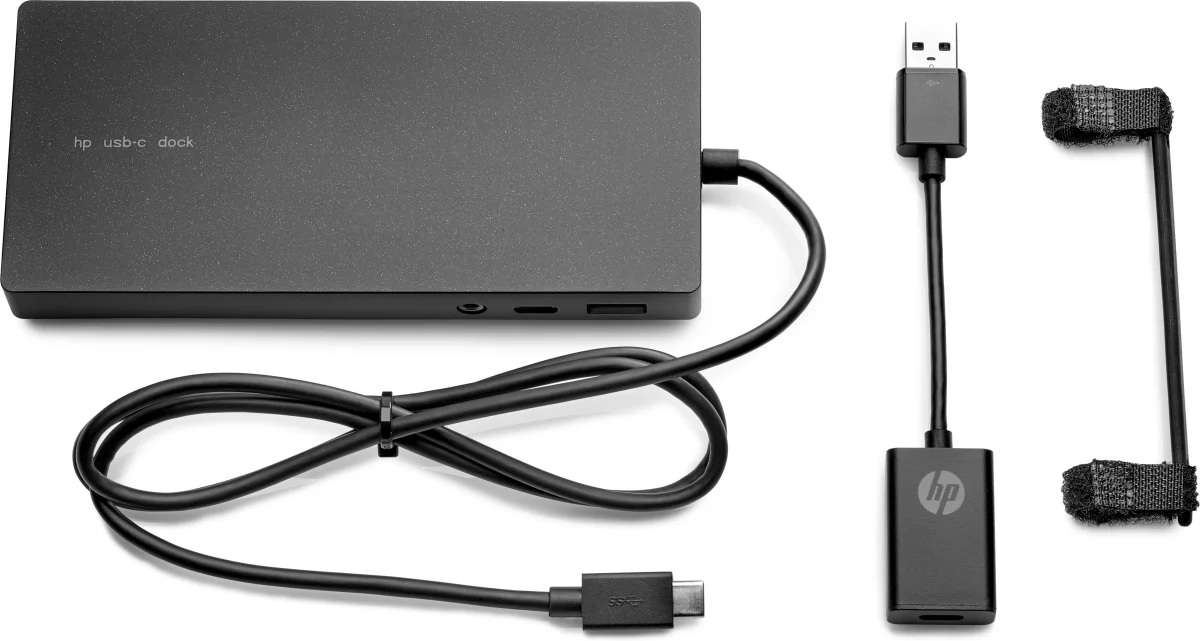
No official studio photo
Key Spec
Dock
Power & USB-C PD
—
Interface
USB 3.2 Gen 1 (3.1 Gen 1) Type-C
Verified Configs
1 verified SKU
Key Findings & Trade-offs
Leave the network cable and your desk accessories connected when you take your laptop with you. A USB-A keyboard and mouse leave one USB-A port free. If you regularly plug in a flash drive, keep that last port within reach when you set up the desk.
Ethernet
Connect your desk to a wired network through the dock.
USB-A
Three ports let a keyboard, mouse and USB-A headset stay connected.
Weight
At 300 g, the dock itself adds little weight to a laptop bag.
Best For
- People who carry their laptop between desks and want to leave their peripherals plugged in.
- Desks with a DisplayPort monitor and a wired network connection.
Skip If
- You need four or more USB-A peripherals connected directly to the dock.
- Your setup requires two HDMI connections directly from the dock.
Compatibility Notes
The host interface is USB 3.2 Gen 1 Type-C, also known as USB 3.1 Gen 1 Type-C.
There is one HDMI output and one DisplayPort output. For a direct connection, match the cable to your monitor’s input.
Well-Matched Laptops
Matched on verified wattage & port specs
Laptop · 65W PD
Lenovo ThinkPad T14 Gen 2 (Intel)
A practical office ThinkPad for people who still plug things in.

Laptop
HP EliteBook 8 G1i
The EliteBook makes the most sense in an office with shared desks.

Laptop
Lenovo ThinkPad L14 Gen 2 (Intel)
The ability to expand the memory is this ThinkPad’s strongest practical feature.
Where to Check Availability
Direct merchant link (no redirect). Editorial specs are never influenced by availability.Verified Technical Specifications
- Wired Ethernet
- Yes
- Weight
- 0.3 kg
- HDMI ports
- 1
- USB-A ports
- 3
- USB-C ports
- 2
- Host interface
- USB 3.2 Gen 1 (3.1 Gen 1) Type-C
- DisplayPort outputs
- 1
Verified Configurations & Identifiers (1)
HP Elite USB-C Docking Station
MPN X7W54AA#ABA
Frequently Asked Questions
What is the HP part number for this dock?
The HP part number is X7W54AA#ABA.
How many USB-C ports does the dock have?
It has two USB-C ports.