Lenovo · 2025 · open_icecat, Lenovo PSREF — ThinkPad P14s Gen 5 (Intel) Specifications
Lenovo ThinkPad P14s Gen 5 Intel: RTX 500 Ada, 32 GB, 14.5"
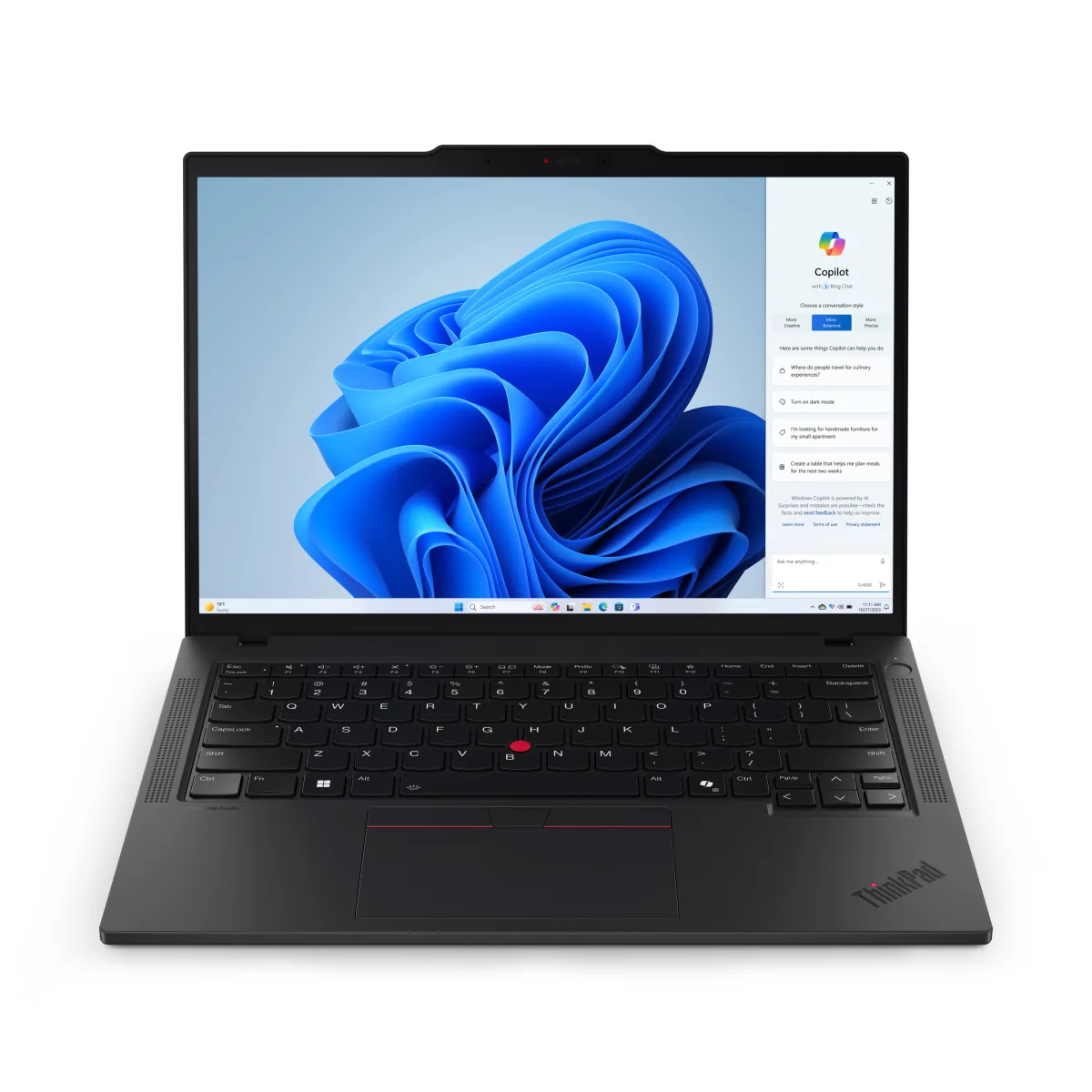
Lenovo ThinkPad P14s Gen 5 (Intel): a 14.5-inch laptop with Core Ultra 7 155H, RTX 500 Ada, 32 GB DDR5 and a 75 Wh battery on Windows 11 Pro.
Editorial Verdict“Heavier than Gen 4, but far easier to service: real RAM slots, a bigger battery and a sharper screen.”
Local LLM Capability (8k context · 4 GB OS reserve)
What fits in 96 GB on this chassis
Key Findings & Trade-offs
Against the Gen 4, this P14s moves to a 14.5-inch 2560 x 1600 screen, a 75 Wh battery and two memory slots. The price is weight, 1.61 kg instead of 1.34 kg, and a 135 W adapter instead of 65 W.
Every variant pairs the Core Ultra 7 155H and RTX 500 Ada with 32 GB RAM and a 1 TB SSD. Memory can grow to 96 GB, while storage sits in a single M.2 slot.
14.5-inch 2560 x 1600 IPS at 90 Hz and 350 nits, up from 14-inch 1920 x 1200 on Gen 4. More pixels and more room, though 350 nits is modest for bright rooms.
Two DDR5-5600 slots with a 96 GB ceiling, where Gen 4 had no slots and topped out at 48 GB. The fitted 32 GB is no longer a dead end, which is a clear win.
The battery grows from 52.5 Wh to 75 Wh, a good change for time away from a socket. Weight rises from 1.34 kg to 1.61 kg, which you will notice in a bag.
The adapter jumps from 65 W to 135 W to feed the Core Ultra 7 155H and RTX 500 Ada. That is a necessary change for sustained load, but a bulkier charger to carry.
- CAD, rendering or engineering users who want an RTX 500 Ada in a 14.5-inch body
- IT buyers who want to start at 32 GB and add memory later, up to 96 GB
- Desk setups that rely on a Thunderbolt 4 dock and up to three external displays
- You carry your laptop all day and want to stay near the Gen 4's 1.34 kg
- You need a second SSD slot, since there is only one M.2 slot
- You want a bright or OLED screen, as this is a 350-nit IPS panel
Compatibility Notes
Verified Compatible Desk Gear
Matched on verified wattage & port specs


Where to Check Availability
Direct merchant link (no redirect). Editorial specs are never influenced by availability.Verified Technical Specifications
- Operating system
- Windows 11 Pro
- nvme
- Yes
- Wired Ethernet
- Yes
- M.2 SSD slots
- 1
- Memory type
- DDR5-SDRAM
- USB-C Power Delivery
- Yes
- Rated power supply
- 135 W
- Memory slots
- 2
- Weight
- 1.61 kg
- Battery
- 75 Wh
- HDMI ports
- 1
- Rated max memory
- 96 GB
- Panel
- IPS
- Refresh rate
- 90 Hz
- DisplayPort Alt Mode
- Yes
- USB-A ports
- 2
- USB-C ports
- 2
- HDMI version
- 2.1
- Memory speed
- 5600 MT/s
- Storage interface
- PCI Express 4.0
- product family
- ThinkPad
- product series
- P
- usb c charging
- Yes
- Display size
- 14.5″
- Resolution
- 2560 x 1600
- Thunderbolt ports
- 2
- Peak brightness
- 350 nits
- Thunderbolt version
- 4
- Max external displays
- 3
Verified Configurations & Identifiers (60)
Frequently Asked Questions
How much RAM can the ThinkPad P14s Gen 5 (Intel) take?
It has two DDR5-5600 slots and supports up to 96 GB. The variants carry 32 GB.
How many external displays can it drive?
Up to three external displays. Connections include one HDMI 2.1 port and two Thunderbolt 4 ports with DisplayPort Alt Mode.
Can I upgrade the SSD?
There is one M.2 slot for a PCIe 4.0 NVMe drive. The variants ship with 1 TB, and with a single slot a bigger drive means replacing it.