Lenovo · 2026 · open_icecat
Lenovo ThinkPad P14s Gen 2 (AMD): Ryzen 7 PRO, 32 GB, 1 TB
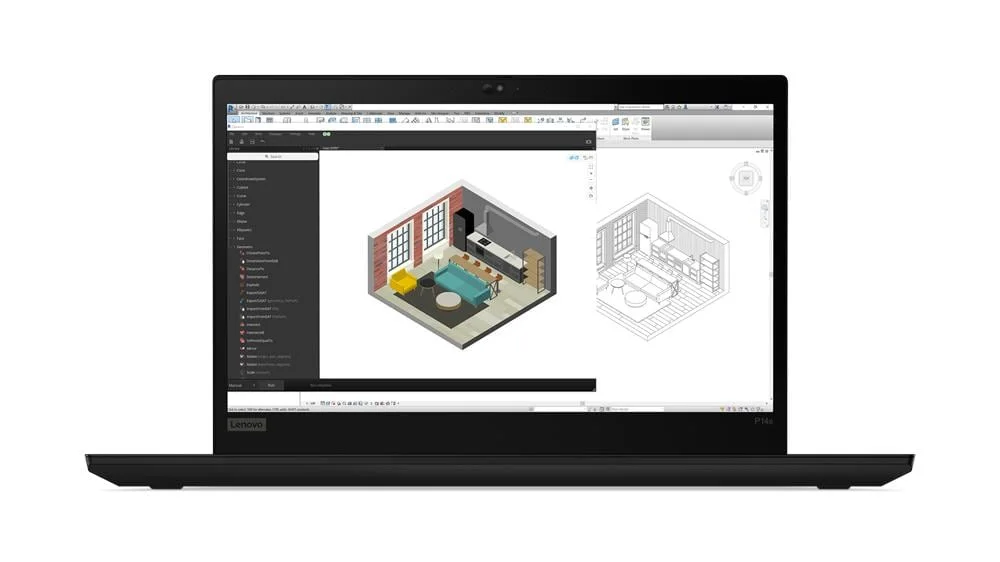
Lenovo ThinkPad P14s Gen 2 (AMD) is a 14-inch mobile workstation with a Ryzen 7 PRO 5850U, 32 GB of soldered DDR4 and a 1 TB SSD in a 1.55 kg body.
Editorial Verdict“A compact Ryzen 7 PRO ThinkPad where the 32 GB of RAM is fixed, so the config you get is the one you keep.”
Local LLM Capability (8k context · 4 GB OS reserve)
What fits in 48 GB on this chassis
Key Findings & Trade-offs
A 14-inch ThinkPad with a Ryzen 7 PRO 5850U and Radeon graphics. All configurations pair 32 GB of DDR4-3200 with a 1 TB SSD, and the memory is soldered, so 32 GB is what you live with. One M.2 slot handles storage.
Against the Gen 1, the RAM slot is gone and the charger drops from 65 W to 45 W. The 300-nit IPS panel suits indoor work more than bright windows.
32 GB of DDR4-3200 with zero RAM slots, where Gen 1 had one. That is a step back for anyone who likes to upgrade later. The rated maximum rose from 40 GB to 48 GB, but with no slot that ceiling gives you no upgrade path.
the PSU is 45 W, down from 65 W on Gen 1. USB-C charging and PD are supported, but you have less headroom than before when the CPU is working hard.
2 USB-C, 2 USB-A, HDMI 2.0 and Ethernet cover most desk setups without a dock. One M.2 slot holds the 1 TB PCIe NVMe SSD, so storage can be swapped later.
1.55 kg with a 50 Wh battery and a 14-inch 1920 x 1080 IPS panel at 300 nits. Reasonable to carry, but not a bright or long-endurance machine.
- Engineers and analysts who want a 14-inch Ryzen 7 PRO with 32 GB and 1 TB ready from day one.
- Desk users who connect through HDMI and wired Ethernet and do not want to depend on a dock.
- Owners who plan to swap the SSD later and are sure 32 GB of RAM is enough.
- You may need more than 32 GB of RAM, because there is no slot to add any.
- You want the 65 W charger headroom the Gen 1 had.
- You work in bright rooms and need a screen brighter than 300 nits.
Compatibility Notes
Verified Compatible Desk Gear
Matched on verified wattage & port specs


Where to Check Availability
Direct merchant link (no redirect). Editorial specs are never influenced by availability.Verified Technical Specifications
- Operating system
- Windows 10 Pro
- nvme
- Yes
- Wired Ethernet
- Yes
- M.2 SSD slots
- 1
- Memory type
- DDR4-SDRAM
- USB-C Power Delivery
- Yes
- Rated power supply
- 45 W
- Memory slots
- 0
- Weight
- 1.55 kg
- Battery
- 50 Wh
- HDMI ports
- 1
- Rated max memory
- 48 GB
- Panel
- IPS
- USB-A ports
- 2
- USB-C ports
- 2
- HDMI version
- 2.0
- Memory speed
- 3200 MT/s
- Storage interface
- PCI Express
- product family
- ThinkPad
- usb c charging
- Yes
- Display size
- 14″
- Resolution
- 1920 x 1080
- Peak brightness
- 300 nits
Verified Configurations & Identifiers (60)
Frequently Asked Questions
Can you upgrade the RAM in the ThinkPad P14s Gen 2 (AMD)?
No. The DDR4-3200 memory is soldered and there are no RAM slots. Every configuration has 32 GB, and the Gen 1 model had one slot.
Does the P14s Gen 2 (AMD) charge over USB-C?
Yes. It supports USB-C charging with PD, and the rated power supply is 45 W, down from 65 W on the Gen 1.
What ports does the ThinkPad P14s Gen 2 (AMD) have?
It has 2 USB-C ports, 2 USB-A ports, 1 HDMI 2.0 port and Ethernet. Storage is one M.2 slot for a PCIe NVMe SSD.