Lenovo · 2026 · open_icecat
Lenovo ThinkPad L13 Yoga Gen 3 (AMD): Ryzen 7 PRO, 16 GB
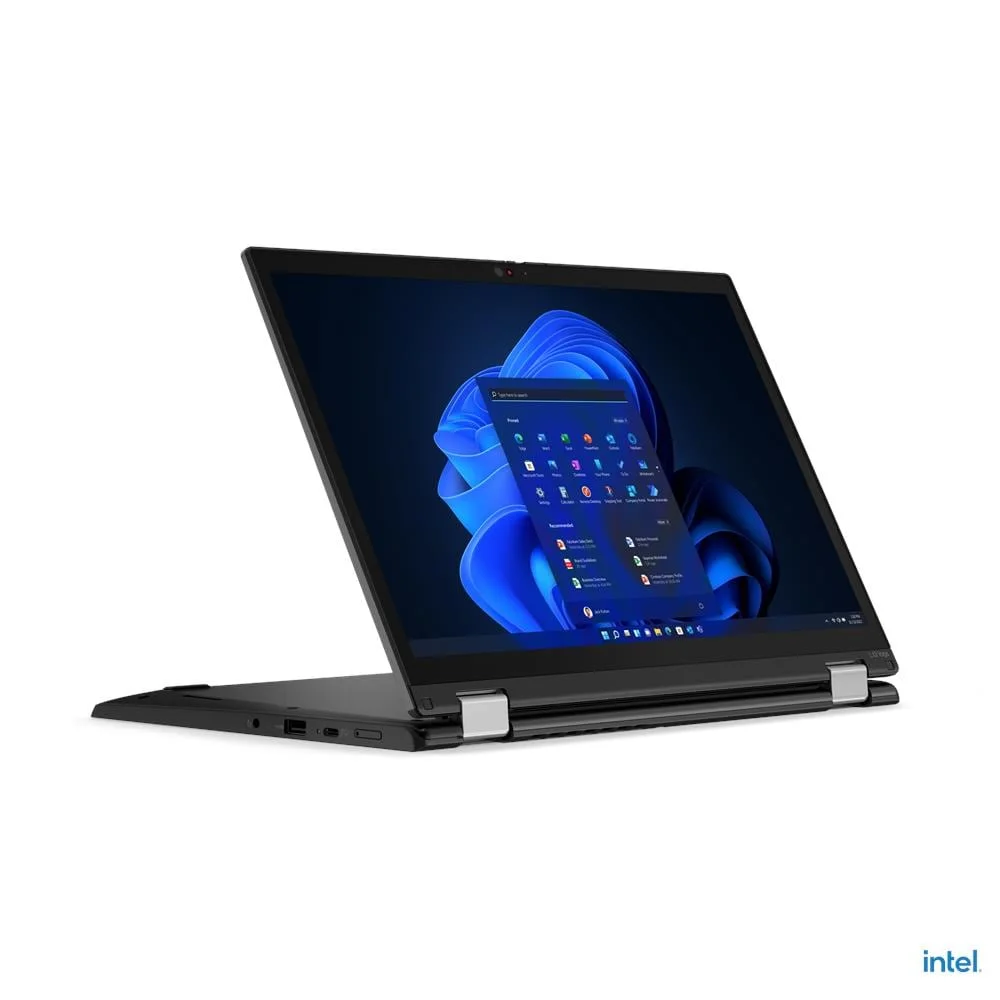
Lenovo ThinkPad L13 Yoga Gen 3 (AMD): 13.3-inch WUXGA 2-in-1 with Ryzen 7 PRO 5875U, 16 GB soldered DDR4, 256 GB SSD and a 1.31 kg weight.
Editorial Verdict“A light convertible business laptop; fixed 16 GB RAM and no Ethernet port are the trade-offs.”
Local LLM Capability (8k context · 4 GB OS reserve)
What fits in 16 GB on this chassis
Key Findings & Trade-offs
The L13 Yoga Gen 3 pairs a Ryzen 7 PRO 5875U with 16 GB of DDR4-3200 that is soldered, so there are no memory slots and 16 GB is the ceiling. Storage sits in a single M.2 slot, currently a 256 GB PCIe SSD.
Against the Gen 2, the screen moves from 1920 x 1080 to 1920 x 1200, weight drops from 1.44 kg to 1.31 kg and maximum RAM rises from 8 GB to 16 GB. The cost is the Ethernet port, which is gone. All 21 variants share the same CPU, RAM and storage.
The 13.3-inch IPS panel moves from 1920 x 1080 on the Gen 2 to 1920 x 1200, which adds vertical room for documents. Brightness peaks at 300 nits, so it suits indoor work better than sunlit seats.
At 1.31 kg, down from 1.44 kg on the Gen 2, it is easier to live with as a daily convertible.
Maximum RAM rises from 8 GB to 16 GB, which is a good change. With zero RAM slots, though, the 16 GB of DDR4-3200 is what you keep for the life of the machine.
The Gen 2 had a wired port and this one does not, a step back for desk setups unless you add an adapter or dock.
- Mobile staff who want a 1.31 kg touchscreen convertible with both USB-C and full-size USB-A ports.
- IT buyers standardising on Windows 11 Pro and a Ryzen 7 PRO processor in a 13.3-inch body.
- Gen 2 owners who ran into the 8 GB RAM limit and want 16 GB.
- You expect to add RAM later: the 16 GB is soldered and there are no slots.
- You rely on built-in wired Ethernet and do not want to carry an adapter or dock.
- You often work in bright light, where a 300-nit panel will struggle.
Compatibility Notes
Verified Compatible Desk Gear
Matched on verified wattage & port specs


Where to Check Availability
Direct merchant link (no redirect). Editorial specs are never influenced by availability.Verified Technical Specifications
- Operating system
- Windows 11 Pro
- Wired Ethernet
- No
- M.2 SSD slots
- 1
- Memory type
- DDR4-SDRAM
- USB-C Power Delivery
- Yes
- Rated power supply
- 65 W
- Memory slots
- 0
- Weight
- 1.31 kg
- Battery
- 46 Wh
- HDMI ports
- 1
- Rated max memory
- 16 GB
- Panel
- IPS
- DisplayPort Alt Mode
- Yes
- USB-A ports
- 2
- USB-C ports
- 2
- Memory speed
- 3200 MT/s
- Storage interface
- PCI Express
- product family
- ThinkPad
- product series
- L
- Display size
- 13.3″
- Resolution
- 1920 x 1200
- Peak brightness
- 300 nits
Verified Configurations & Identifiers (21)
Frequently Asked Questions
Can you upgrade the RAM in the ThinkPad L13 Yoga Gen 3 (AMD)?
No. It has 16 GB of DDR4-3200 with zero RAM slots, and 16 GB is the maximum. Only the single M.2 SSD slot offers an upgrade path.
Does the ThinkPad L13 Yoga Gen 3 (AMD) have an Ethernet port?
No. Its ports are 2 USB-C, 2 USB-A and 1 HDMI. The Gen 2 did have Ethernet, so this is a removal.
Can the L13 Yoga Gen 3 charge over USB-C?
Yes. It supports USB-C Power Delivery, and the power adapter is rated at 65 W. The battery is 46 Wh.