Lenovo · 2026 · energystar_v9, open_icecat
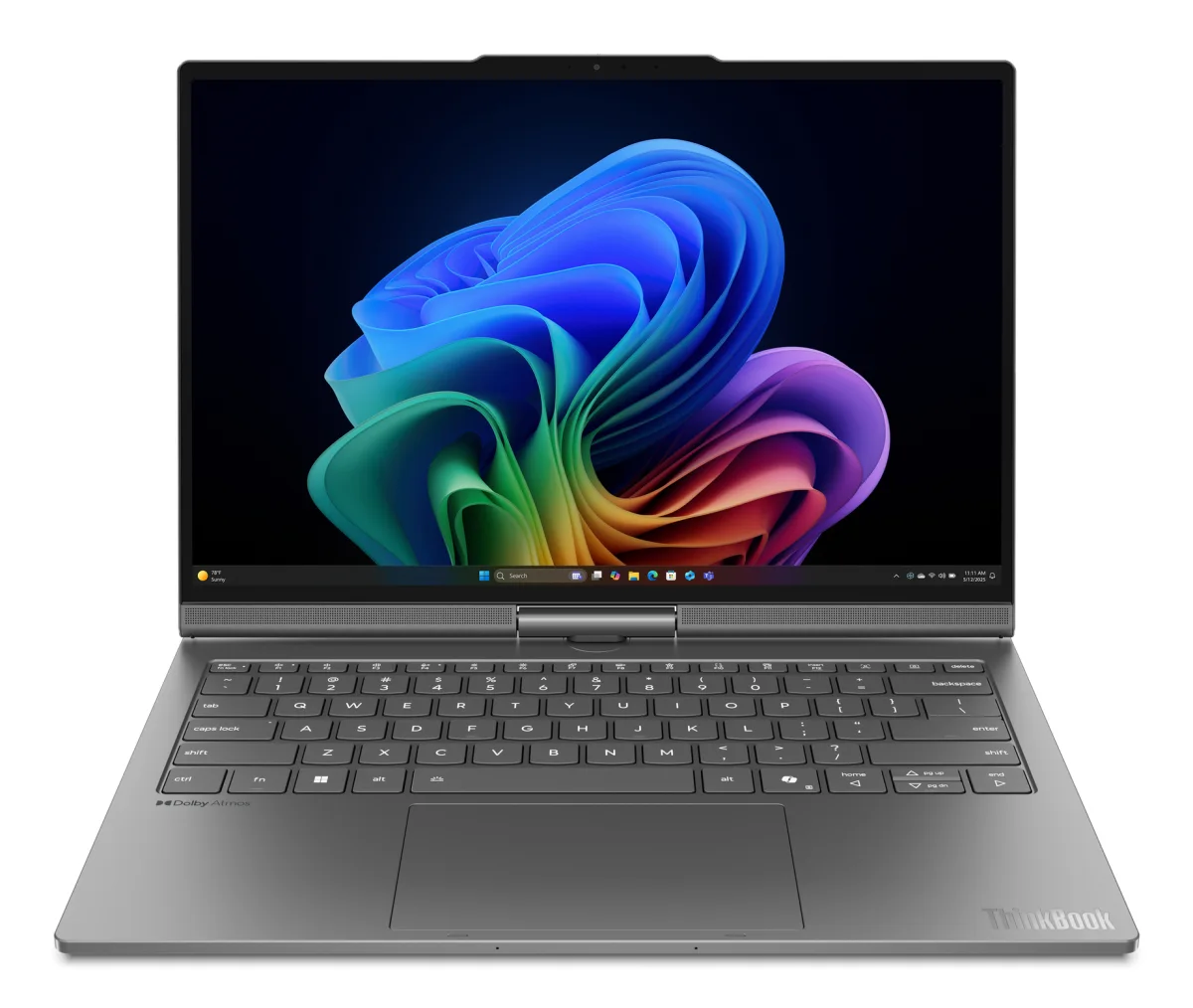
Lenovo ThinkBook Plus G7 Auto Twist 14-inch OLED
A 1.4 kg business convertible with a 120 Hz screen and a 75 Wh battery for office work that moves between meeting rooms and desks.
Editorial Verdict“The convertible hinge earns its keep if you regularly show work across a table.”
Local LLM Capability (8k context · 4 GB OS reserve)
What fits in 32 GB on this chassis
Key Findings & Trade-offs
Every configuration pairs an Intel Core Ultra X7 358H and Intel Arc B390 with 32 GB of memory and a 512 GB SSD. There’s room to keep several work apps open, but large project archives may call for external storage. Windows 11 Pro is standard across the range.
Scroll through a brief or tap through slides directly on the screen in convertible mode.
The 2880 × 1800 OLED gives documents a tall 16:10 canvas and reaches up to 1,100 nits.
Two ports let you plug in a keyboard and mouse together without a hub.
- People who review designs or documents with someone sitting across from them.
- Office workers who move between desks equipped with Thunderbolt docks.
- You need a built-in Ethernet port for wired networking.
- You want more screen space for two documents side by side.
Compatibility Notes
Verified Compatible Desk Gear
Matched on verified wattage & port specs


Where to Check Availability
Direct merchant link (no redirect). Editorial specs are never influenced by availability.Verified Technical Specifications
- Operating system
- Windows 11 Pro
- nvme
- Yes
- Wired Ethernet
- No
- M.2 SSD slots
- 1
- Memory type
- LPDDR5x-SDRAM
- USB-C Power Delivery
- Yes
- Rated power supply
- 100 W
- Memory slots
- 0
- Weight
- 1.4 kg
- Battery
- 75 Wh
- HDMI ports
- 1
- Rated max memory
- 32 GB
- Panel
- OLED
- Refresh rate
- 120 Hz
- DisplayPort Alt Mode
- Yes
- USB-A ports
- 2
- USB-C ports
- 2
- HDMI version
- 2.1
- Touchscreen
- Yes
- Integrated NPU
- No
- Memory speed
- 9600 MT/s
- Storage interface
- PCI Express 4.0
- product family
- ThinkBook
- usb c charging
- Yes
- Max USB-C PD
- 100 W
- Min USB-C PD
- 15 W
- Display size
- 14″
- Resolution
- 2880 x 1800
- Thunderbolt ports
- 2
- Peak brightness
- 1100 nits
- Thunderbolt version
- 4
Verified Configurations & Identifiers (4)
Frequently Asked Questions
Can I connect a USB-C monitor without a dock?
Yes. A USB-C monitor that accepts DisplayPort Alt Mode can connect directly.
What interface does the internal SSD use?
The drive uses NVMe over PCIe 4.0.