Lenovo · 2026 · open_icecat
Lenovo K14 Gen 3: Core Ultra 5 125U, 14" WUXGA, 8 GB/512 GB
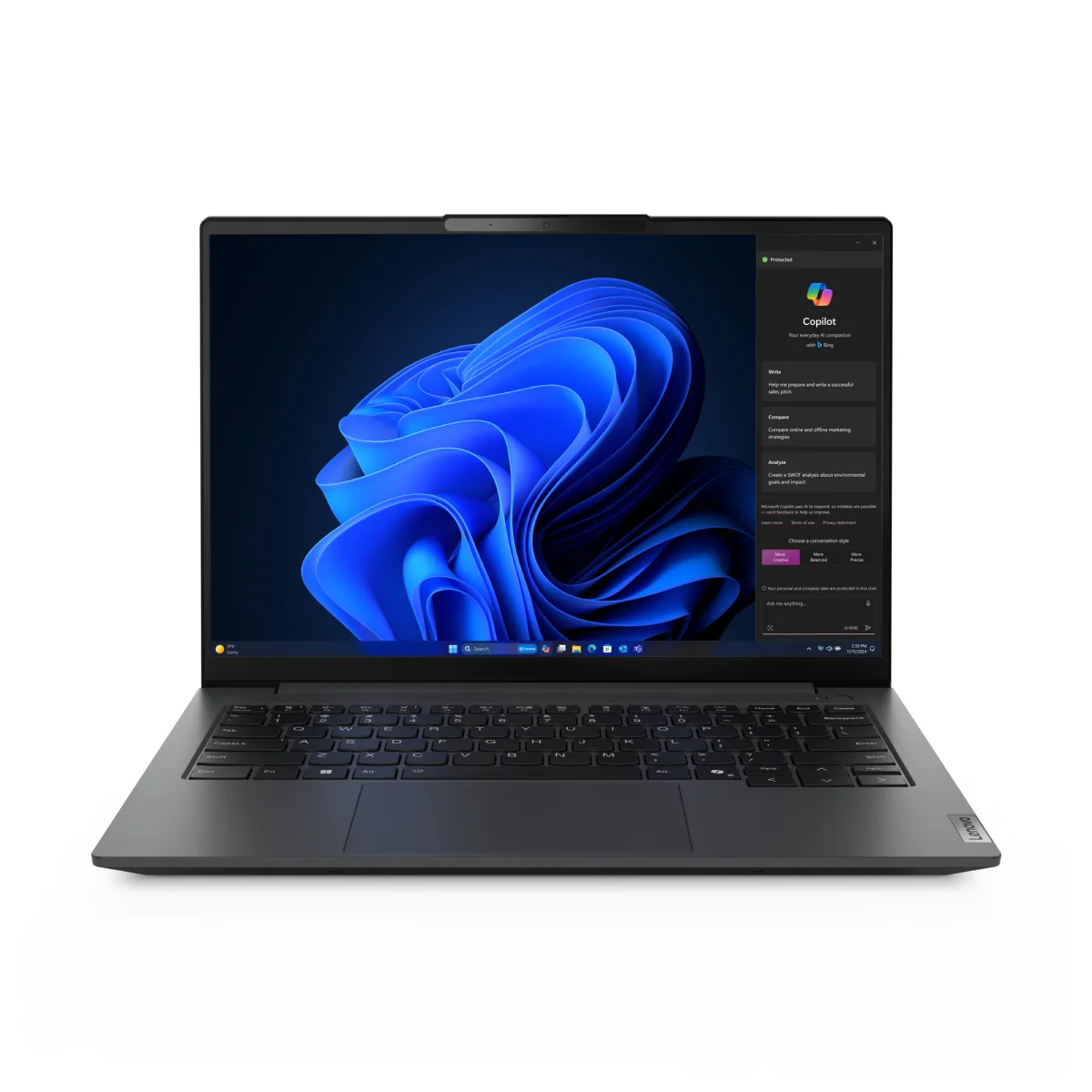
Lenovo K14 Gen 3 is a 14-inch laptop with a Core Ultra 5 125U, 8 GB DDR5 (two slots, 64 GB max), 512 GB SSD and 65 W USB-C charging.
Editorial Verdict“A plain, serviceable 14-inch office laptop where the 8 GB of stock RAM is the first thing to fix.”
Local LLM Capability (8k context · 4 GB OS reserve)
What fits in 64 GB on this chassis
Key Findings & Trade-offs
The K14 Gen 3 pairs an Intel Core Ultra 5 125U with integrated Intel graphics and a 14-inch IPS screen (1920 x 1200, 60 Hz, 300 nits). Both variants carry 8 GB of RAM and a 512 GB SSD, which is tight for Windows 11 Home once you open many tabs and apps.
Because the memory is socketed, that starting point is fixable later. The screen is a plain office panel, not one for bright rooms or fast motion.
8 GB DDR5-5600 as configured, with two slots supporting up to 64 GB, so the small starting amount can be corrected without replacing the laptop.
512 GB NVMe over PCIe 4.0 in the single M.2 slot. You can swap it for a bigger drive, but there is no second slot for adding one.
Two USB-C, two USB-A, HDMI 2.1 and Ethernet cover most desk setups without a dock or adapters.
1.38 kg with a 45 Wh battery is easy to carry, though the battery is on the small side for long days away from an outlet.
- Office and study users who want a 14-inch laptop with built-in Ethernet and HDMI.
- Buyers who plan to add RAM after purchase and want DDR5 slots rather than soldered memory.
- Anyone who already owns a 65 W USB-C charger for travel.
- You need a bright or high-refresh screen, since the panel is 300 nits at 60 Hz.
- You want 16 GB or more of RAM out of the box without opening the laptop.
- You need two internal drives, as there is only one M.2 slot.
Compatibility Notes
Verified Compatible Desk Gear
Matched on verified wattage & port specs


Where to Check Availability
Direct merchant link (no redirect). Editorial specs are never influenced by availability.Verified Technical Specifications
- Operating system
- Windows 11 Home
- nvme
- Yes
- Wired Ethernet
- Yes
- M.2 SSD slots
- 1
- Memory type
- DDR5-SDRAM
- USB-C Power Delivery
- Yes
- Rated power supply
- 65 W
- Memory slots
- 2
- Weight
- 1.38 kg
- Battery
- 45 Wh
- HDMI ports
- 1
- Rated max memory
- 64 GB
- Panel
- IPS
- Refresh rate
- 60 Hz
- DisplayPort Alt Mode
- Yes
- USB-A ports
- 2
- USB-C ports
- 2
- HDMI version
- 2.1
- Memory speed
- 5600 MT/s
- Storage interface
- PCI Express 4.0
- usb c charging
- Yes
- Max USB-C PD
- 65 W
- Min USB-C PD
- 45 W
- Display size
- 14″
- Resolution
- 1920 x 1200
- Peak brightness
- 300 nits
Verified Configurations & Identifiers (2)
Frequently Asked Questions
Can I upgrade the RAM in the Lenovo K14 Gen 3?
Yes. It has two DDR5-5600 slots and supports up to 64 GB. Both known variants come with 8 GB.
Can the K14 Gen 3 charge over USB-C?
Yes. USB-C Power Delivery charging works from 45 W to 65 W, and the included power adapter is 65 W.
Does the K14 Gen 3 have HDMI for an external monitor?
Yes. It has one HDMI 2.1 port, and the USB-C ports support DisplayPort Alt Mode.