HP · 2026 · open_icecat
HP ZBook Fury G11: RTX 5000 Ada, 64 GB, 16" 3840 x 2400
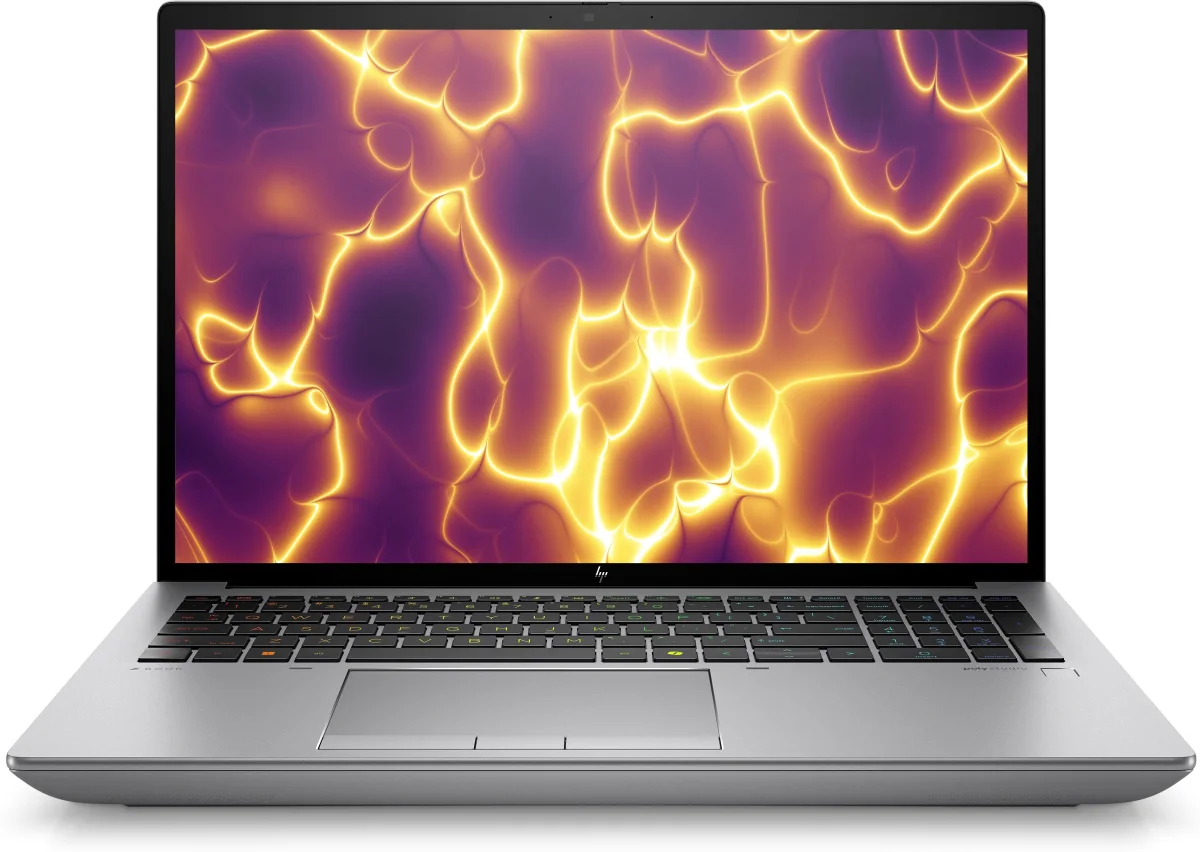
HP ZBook Fury G11 mobile workstation: Core i9-13950HX, RTX 5000 Ada, 64 GB DDR5, 16-inch 3840 x 2400 120 Hz display and a 230 W power supply.
Editorial Verdict“A 2.35 kg, RAM-upgradeable 16-inch workstation with a strong GPU, held back by only two USB-C ports.”
Local LLM Capability (8k context · 4 GB OS reserve)
What fits in 128 GB on this chassis
Key Findings & Trade-offs
A Core i9-13950HX and RTX 5000 Ada sit behind a 16-inch 3840 x 2400 IPS panel running at 120 Hz. At 2.35 kg with a 95 Wh battery and a 230 W adapter, it is a desk-first workstation you can carry, not an all-day travel laptop.
Variants come with 64 GB of DDR5-5600 and a 1 TB SSD, and four RAM slots allow up to 128 GB later, so memory can grow after purchase.
16-inch IPS at 3840 x 2400, 120 Hz and 500 nits gives plenty of sharp workspace for CAD, timelines and code. Compared with the ZBook Fury G10 (15.6 inches, 1920 x 1200), this is a clear improvement.
Core i9-13950HX, RTX 5000 Ada and 64 GB of DDR5-5600 target heavy rendering, simulation and local AI model work.
Four RAM slots support up to 128 GB, so the 64 GB that variants ship with is a starting point rather than a ceiling.
Two Thunderbolt 4 USB-C ports, two USB-A and HDMI 2.1. The Fury G10 had four USB-C ports, so losing two is a step backwards for anyone with many accessories.
- 3D, CAD and video professionals who want an RTX 5000 Ada and a sharp 16-inch screen at a desk.
- Buyers who want to start at 64 GB and expand to 128 GB as projects grow.
- Developers running local AI or simulation workloads that need GPU headroom.
- You carry your laptop every day and 2.35 kg plus a 230 W adapter is too much.
- You depend on many USB-C accessories and two ports will force you onto a dock.
- Your work is office and web tasks, where this GPU and power brick are overkill.
Compatibility Notes
Verified Compatible Desk Gear
Matched on verified wattage & port specs


Where to Check Availability
Direct merchant link (no redirect). Editorial specs are never influenced by availability.Verified Technical Specifications
- Operating system
- Windows 11 Pro
- nvme
- Yes
- Memory type
- DDR5-SDRAM
- USB-C Power Delivery
- Yes
- Rated power supply
- 230 W
- Memory slots
- 4
- Weight
- 2.35 kg
- Battery
- 95 Wh
- HDMI ports
- 1
- Rated max memory
- 128 GB
- Panel
- IPS
- Refresh rate
- 120 Hz
- DisplayPort Alt Mode
- Yes
- USB-A ports
- 2
- USB-C ports
- 2
- HDMI version
- 2.1
- Memory speed
- 5600 MT/s
- Storage interface
- PCI Express 4.0
- product family
- ZBook Fury
- usb c charging
- Yes
- Display size
- 16″
- Resolution
- 3840 x 2400
- Thunderbolt ports
- 2
- Peak brightness
- 500 nits
- Thunderbolt version
- 4
Verified Configurations & Identifiers (60)
Frequently Asked Questions
Can you upgrade the RAM in the HP ZBook Fury G11?
Yes. It has four DDR5-5600 slots and supports up to 128 GB, while the variants ship with 64 GB.
Can the ZBook Fury G11 charge over USB-C?
USB-C charging is supported, but the machine uses a 230 W power supply for full CPU and GPU load. Treat USB-C as a travel top-up.
What ports does it offer for docks and monitors?
Two Thunderbolt 4 USB-C ports with DisplayPort Alt Mode, one HDMI 2.1 port and two USB-A ports. That is two fewer USB-C ports than the Fury G10.