HP · 2026 · open_icecat
HP OmniBook 3 16-ct0 Snapdragon C1, 16-inch, up to 8 GB
HP OmniBook 3 16-ct0 is a 16-inch Snapdragon C1-10-100 Windows laptop with 4–8 GB of soldered RAM, 256 GB storage and a 1920 x 1200 IPS panel.
Editorial Verdict“A plain 16-inch Snapdragon laptop where RAM is fixed at 4 or 8 GB, so choose 8 GB.”
Local LLM Capability (8k context · 4 GB OS reserve)
What fits in 8 GB on this chassis
Key Findings & Trade-offs
A 16-inch Snapdragon laptop weighing 1.68 kg with a 41 Wh battery. The LPDDR5 memory (6400 MT/s) has no slots, so the 4 GB or 8 GB you pick is permanent, and 8 GB is the ceiling. All four variants carry a 256 GB NVMe SSD, and the single M.2 slot is the only expansion route.
The power adapter is 45 W, and the two USB-C ports accept PD charging. Because this is Windows on ARM, check your must-have apps before committing.
4 GB or 8 GB of LPDDR5 at 6400 MT/s with zero slots. 8 GB is the maximum, so the decision is final on day one.
256 GB NVMe on every variant, plus one M.2 slot, so more capacity is possible later.
two USB-C, two USB-A and one HDMI 1.4b. The adapter is 45 W, and USB-C PD charging is supported.
16-inch IPS at 1920 x 1200 and 300 nits, 1.68 kg, 41 Wh battery. Fine indoors, but modest brightness and a small battery for this screen size.
- Students and home users who want a large 16-inch screen for browsing, documents and video calls
- Buyers who want a simple Windows on ARM machine with USB-C charging and a full set of ports
- You need more than 8 GB of RAM, because it cannot be added later
- You work outdoors or in bright rooms and need more than 300 nits
- You rely on x86-only software or high-refresh external monitors
Compatibility Notes
Verified Compatible Desk Gear
Matched on verified wattage & port specs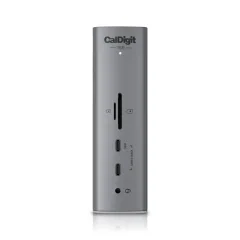


Where to Check Availability
Direct merchant link (no redirect). Editorial specs are never influenced by availability.Verified Technical Specifications
- Operating system
- Windows 11 Home
- nvme
- Yes
- M.2 SSD slots
- 1
- Memory type
- LPDDR5-SDRAM
- USB-C Power Delivery
- Yes
- Rated power supply
- 45 W
- Memory slots
- 0
- Weight
- 1.68 kg
- Battery
- 41 Wh
- HDMI ports
- 1
- Rated max memory
- 8 GB
- Panel
- IPS
- USB-A ports
- 2
- USB-C ports
- 2
- HDMI version
- 1.4b
- Memory speed
- 6400 MT/s
- Storage interface
- PCI Express
- product family
- OmniBook 3
- usb c charging
- Yes
- Max USB-C PD
- 100 W
- Min USB-C PD
- 65 W
- Display size
- 16″
- Resolution
- 1920 x 1200
- Peak brightness
- 300 nits
Verified Configurations & Identifiers (4)
Frequently Asked Questions
Can you upgrade the RAM on the HP OmniBook 3 16-ct0?
No. The LPDDR5 RAM has no slots and tops out at 8 GB, with 4 GB and 8 GB variants available.
Can you add or replace the SSD?
Yes, in principle. There is one M.2 slot holding an NVMe SSD, and every variant starts at 256 GB.
What charger does it use?
The power adapter is 45 W. The USB-C ports also support PD charging rated 65–100 W.