Dell · 2025 · open_icecat
Dell Chromebook CC11260 2-in-1: N150, 4 GB RAM, 11.6-inch
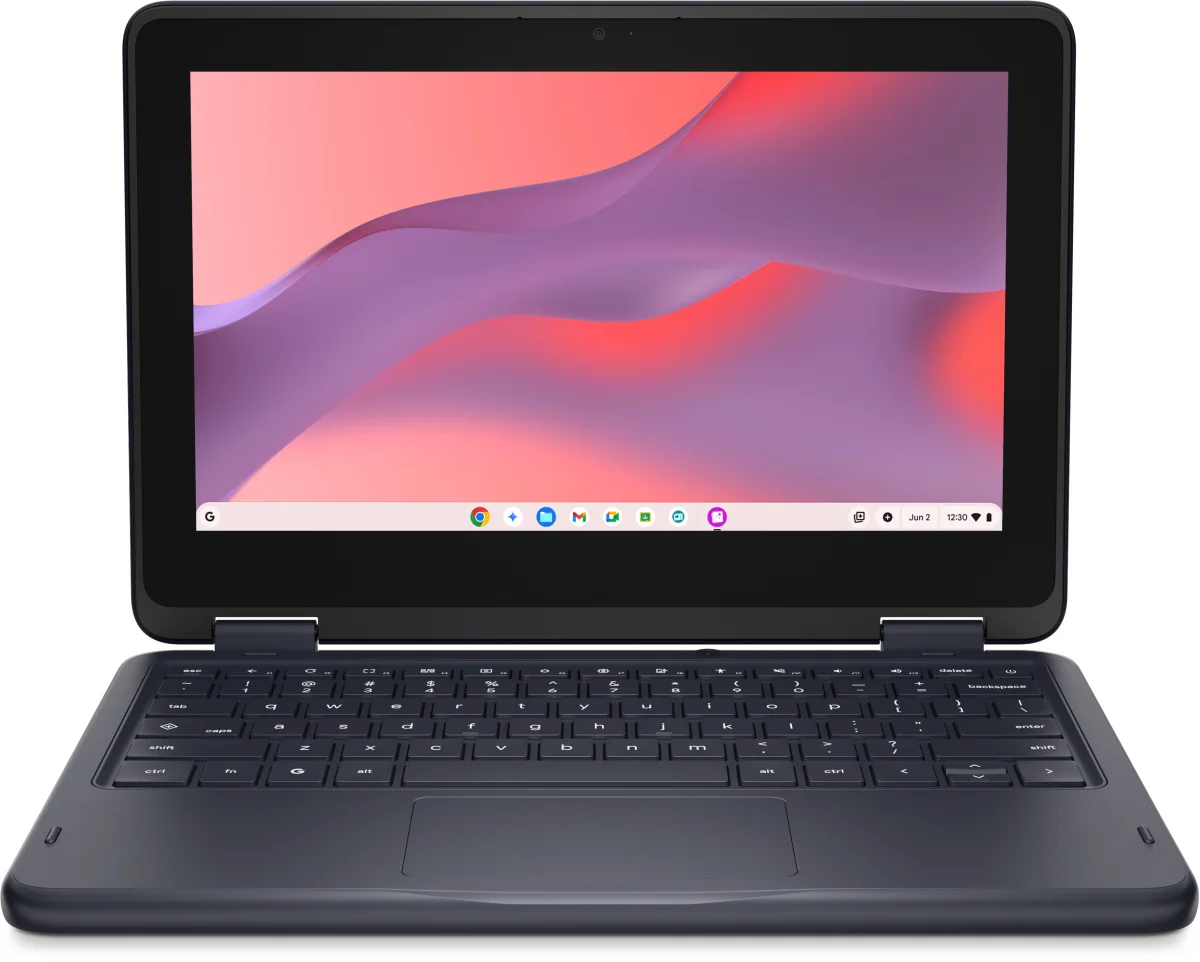
Dell Chromebook CC11260 2-in-1 with an 11.6-inch 1366 x 768 touchscreen, Intel N150, 4 GB soldered LPDDR5 and 64 GB storage, running ChromeOS.
Editorial Verdict“A basic 4 GB ChromeOS convertible; the 1366 x 768 screen and fixed RAM set its limits.”
Local LLM Capability (8k context · 4 GB OS reserve)
What fits in 4 GB on this chassis
Key Findings & Trade-offs
A small ChromeOS convertible built on an Intel N150 with 4 GB of LPDDR5 and 64 GB of storage. The three variants (TPVH4, KN1DR, PY2W5) all share those numbers, and with no RAM slots, the 4 GB you buy is the 4 GB you keep.
The 11.6-inch IPS screen runs 1366 x 768 at 60 Hz and peaks at 220 nits, so it suits indoor web apps better than bright rooms or detailed work. At 1.55 kg it is heavy for its screen size.
Intel N150 with 4 GB of LPDDR5-4800 and no RAM slots, so expect comfortable ChromeOS use with a modest number of tabs and apps.
11.6-inch IPS touchscreen at 1366 x 768, 60 Hz and 220 nits. Fine for text indoors, but low in resolution and brightness.
Two USB-C ports with DisplayPort Alt Mode plus one USB-A. USB-C PD charging is specified from 23 to 44 W, and the rated power supply is 65 W.
A 45 Wh battery in a 1.55 kg body, which is on the heavy side for an 11.6-inch convertible.
- Students or light users who live in the browser and Google-style web apps and want a touchscreen that folds into tablet mode.
- Anyone who wants a secondary couch or classroom ChromeOS device that can charge from a USB-C charger.
- You regularly keep many tabs and apps open, since 4 GB of RAM cannot be expanded.
- You want a sharp or bright screen, because 1366 x 768 and 220 nits are modest.
- You need a light bag companion, as 1.55 kg is heavy for an 11.6-inch screen.
Compatibility Notes
Verified Compatible Desk Gear
Matched on verified wattage & port specs


Where to Check Availability
Direct merchant link (no redirect). Editorial specs are never influenced by availability.Verified Technical Specifications
- Operating system
- ChromeOS
- Memory type
- LPDDR5-SDRAM
- Rated power supply
- 65 W
- Memory slots
- 0
- Weight
- 1.55 kg
- Battery
- 45 Wh
- Rated max memory
- 4 GB
- Panel
- IPS
- Refresh rate
- 60 Hz
- DisplayPort Alt Mode
- Yes
- USB-A ports
- 1
- USB-C ports
- 2
- Memory speed
- 4800 MT/s
- product family
- Chromebook
- usb c charging
- Yes
- Max USB-C PD
- 44 W
- Min USB-C PD
- 23 W
- Display size
- 11.6″
- Resolution
- 1366 x 768
- Peak brightness
- 220 nits
Verified Configurations & Identifiers (3)
Frequently Asked Questions
Can I upgrade the RAM on the Dell Chromebook CC11260 2-in-1?
No. It has 4 GB of LPDDR5-4800 memory, zero RAM slots and a 4 GB maximum.
Does it charge over USB-C?
Yes. USB-C charging is supported with PD specified from 23 to 44 W, and the rated power supply is 65 W.
Can it connect to an external monitor?
Yes. It has two USB-C ports with DisplayPort Alt Mode, plus one USB-A port.