ASUS · 2026 · energystar_v9, open_icecat
ASUS Chromebook 14 CX9406CAA: 14" OLED, 70 Wh, 0.985 kg
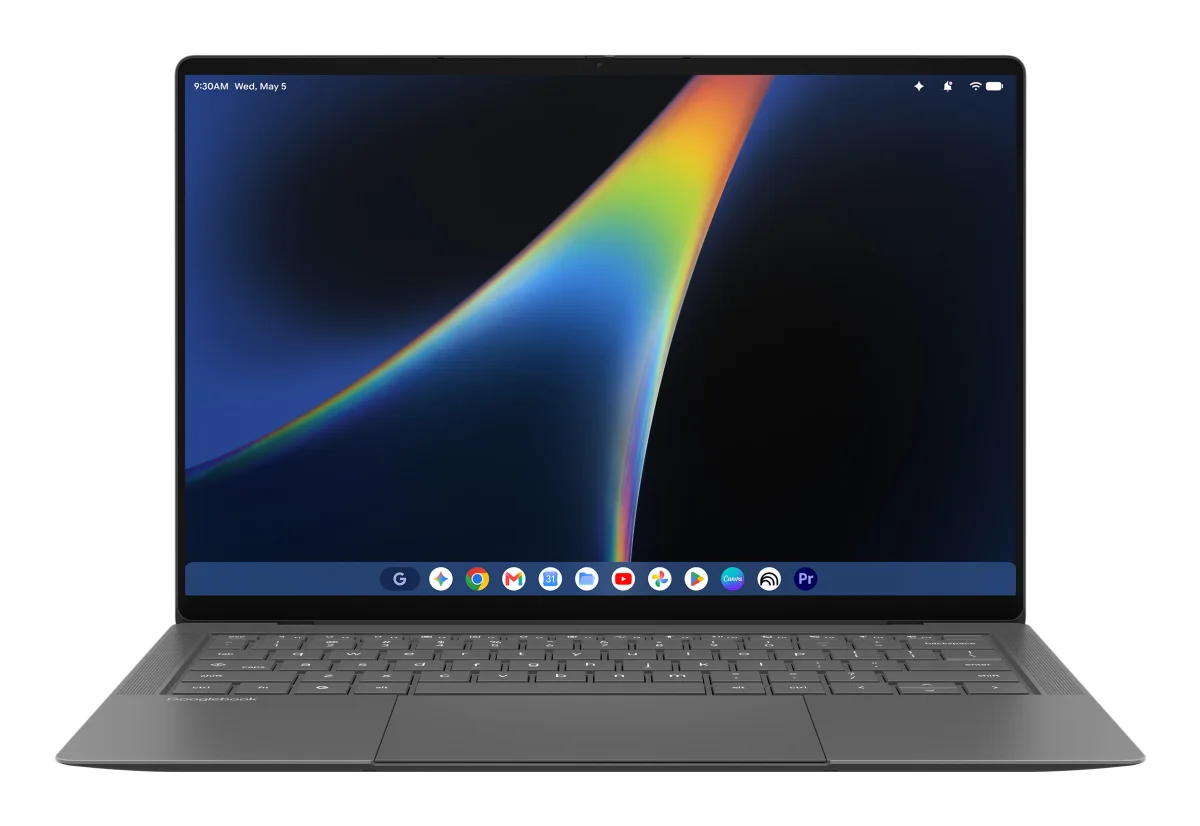
ASUS Chromebook 14 (CX9406CAA) is a 0.985 kg laptop with a 14-inch 2880 x 1800 OLED, Intel Core Ultra 7, 70 Wh battery and two Thunderbolt 4 ports.
Editorial Verdict“A light OLED Chromebook with Thunderbolt 4 and a big battery, but its soldered RAM cannot be changed later.”
Local LLM Capability (8k context · 4 GB OS reserve)
What fits in 64 GB on this chassis
Key Findings & Trade-offs
A 0.985 kg Chromebook running Aluminium OS, with a 90 Hz OLED touchscreen that reaches 450 nits. RAM is soldered LPDDR5x with no slots, so the 16 GB to 64 GB spread across the three variants is fixed at manufacture. Storage is 512 GB throughout, with one M.2 NVMe slot on the board.
The 70 Wh battery is sizeable for a machine under 1 kg. Port selection is broad: two Thunderbolt 4, two USB-A and HDMI 2.1, but no Ethernet.
14-inch 2880 x 1800 touchscreen at 90 Hz and up to 450 nits, which gives sharp text and smoother scrolling than a 60 Hz panel.
0.985 kg with a 70 Wh battery, a good pairing for commuting and travel days away from a socket.
Two Thunderbolt 4 USB-C ports, two USB-A and one HDMI 2.1, so a monitor and common peripherals connect without a dongle.
Intel Core Ultra 7 with an installed NPU, which lets supported AI features run locally instead of in the cloud.
- Chromebook users who want an OLED screen in a body under 1 kg for commuting and travel.
- People who connect to a dock or external monitor and want Thunderbolt 4 plus HDMI on the machine itself.
- Anyone interested in on-device AI features, since the chip includes an NPU.
- You may want to add RAM later, because memory is soldered and there are no slots.
- You need a wired network connection without an adapter, as there is no Ethernet port.
- You want a refresh rate above 90 Hz.
Compatibility Notes
Verified Compatible Desk Gear
Matched on verified wattage & port specs


Where to Check Availability
Direct merchant link (no redirect). Editorial specs are never influenced by availability.Verified Technical Specifications
- Operating system
- Aluminium OS
- nvme
- Yes
- Wired Ethernet
- No
- M.2 SSD slots
- 1
- Memory type
- LPDDR5x-SDRAM
- USB-C Power Delivery
- Yes
- Rated power supply
- 65 W
- Memory slots
- 0
- Weight
- 0.985 kg
- Battery
- 70 Wh
- HDMI ports
- 1
- Rated max memory
- 16 GB
- Panel
- OLED
- Refresh rate
- 90 Hz
- USB-A ports
- 2
- USB-C ports
- 2
- HDMI version
- 2.1
- Touchscreen
- Yes
- Integrated NPU
- Yes
- Storage interface
- PCI Express 4.0
- product family
- Chromebook
- product series
- 14
- usb c charging
- Yes
- Max USB-C PD
- 68 W
- Min USB-C PD
- 45 W
- Display size
- 14″
- Resolution
- 2880 x 1800
- Thunderbolt ports
- 2
- Peak brightness
- 450 nits
- Thunderbolt version
- 4
Verified Configurations & Identifiers (3)
Frequently Asked Questions
Can I upgrade the RAM on the ASUS Chromebook 14 CX9406CAA?
No. The LPDDR5x memory is soldered and there are no RAM slots. The variants range from 16 GB to 64 GB, so the amount is set when the laptop is built.
What charger does the CX9406CAA use?
It uses a 65 W power supply. USB-C Power Delivery charging works in a 45 W to 68 W range, so a 65 W USB-C charger is within spec.
Does this Chromebook have HDMI and Thunderbolt?
Yes. It has one HDMI 2.1 port and two USB-C ports that support Thunderbolt 4, plus two USB-A ports. There is no Ethernet port.