ASUS · 2026 · open_icecat
ASUS ExpertBook P1 P1403CVY: 14" Core 5 210H, 16 GB DDR4
14-inch Windows 11 Pro business laptop with Intel Core 5 210H, 16 GB of upgradeable DDR4 and a 256 GB SSD. Weighs 1.45 kg with USB-C PD charging.
Editorial Verdict“A practical, serviceable 14-inch business laptop with upgradeable DDR4; the screen and battery are modest.”
Local LLM Capability (8k context · 4 GB OS reserve)
What fits in 64 GB on this chassis
Key Findings & Trade-offs
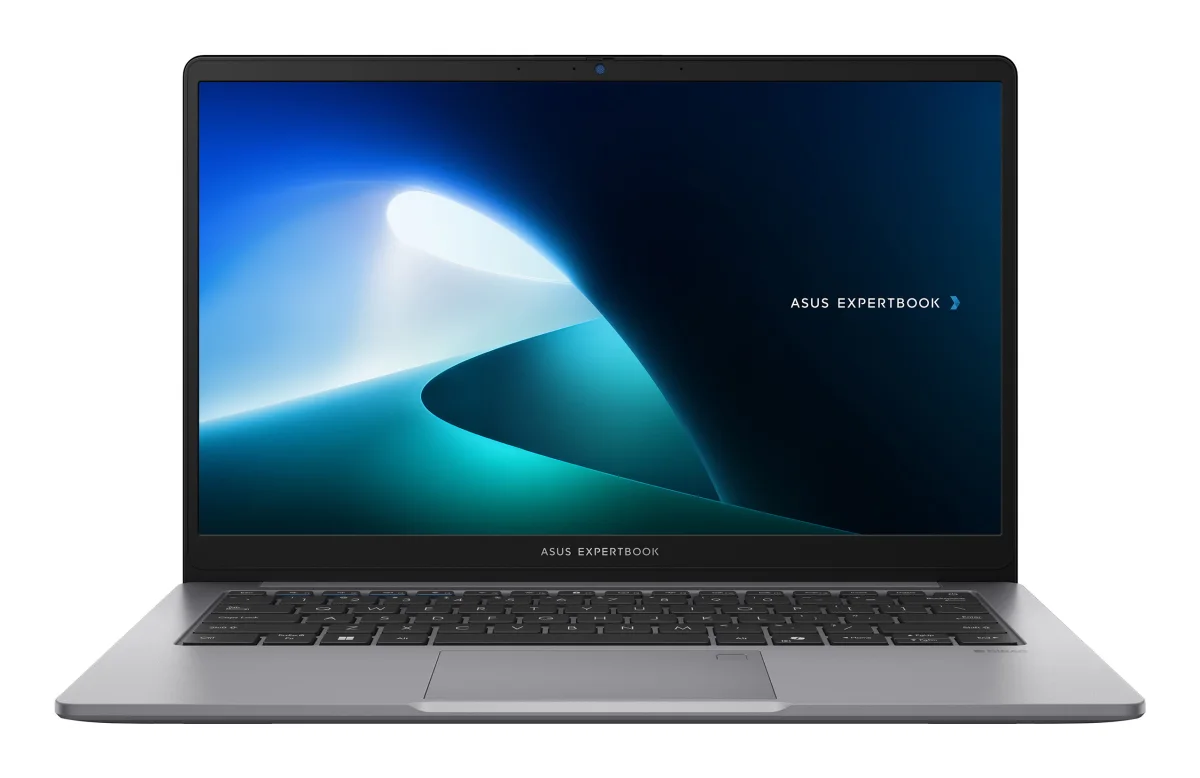
The P1403CVY pairs a 14-inch 1920 x 1080 panel (60 Hz, 300 nits) with an Intel Core 5 210H and integrated Intel graphics. Both variants ship with 16 GB of DDR4 and a 256 GB SSD, but two RAM slots (up to 64 GB) and one M.2 slot leave room to grow.
The screen is fine for office work, less so in bright rooms. A 50 Wh battery in a 1.45 kg body is modest, and HDMI is only version 1.4.
Two DDR4 slots accept up to 64 GB, so the fitted 16 GB can grow instead of being replaced.
One M.2 slot on PCI Express 3.0 NVMe. The 256 GB drive is small and can be swapped for a larger one.
Two USB-C, two USB-A, HDMI 1.4 and Ethernet cover wired networking and older peripherals without a dongle.
14-inch Full HD at 60 Hz and 300 nits in a 1.45 kg body with a 50 Wh battery. Fine indoors, but not a bright or smooth panel.
- IT buyers who want to start at 16 GB and expand to as much as 64 GB later.
- Office users who need Ethernet, USB-A and HDMI built in rather than on a dongle.
- People who work through a USB-C dock or monitor on a single cable.
- You need a bright or high-refresh screen; this panel is 300 nits at 60 Hz.
- You want faster memory or storage; this model uses DDR4 and a PCI Express 3.0 SSD slot.
- You want something clearly lighter than 1.45 kg.
Compatibility Notes
Verified Compatible Desk Gear
Matched on verified wattage & port specs


Where to Check Availability
Direct merchant link (no redirect). Editorial specs are never influenced by availability.Verified Technical Specifications
- Operating system
- Windows 11 Pro
- nvme
- Yes
- Wired Ethernet
- Yes
- M.2 SSD slots
- 1
- Memory type
- DDR4-SDRAM
- USB-C Power Delivery
- Yes
- Rated power supply
- 65 W
- Memory slots
- 2
- Weight
- 1.45 kg
- Battery
- 50 Wh
- HDMI ports
- 1
- Rated max memory
- 64 GB
- Refresh rate
- 60 Hz
- DisplayPort Alt Mode
- Yes
- USB-A ports
- 2
- USB-C ports
- 2
- HDMI version
- 1.4
- Storage interface
- PCI Express 3.0
- product family
- ExpertBook
- product series
- P1
- usb c charging
- Yes
- Max USB-C PD
- 90 W
- Min USB-C PD
- 55 W
- Display size
- 14″
- Resolution
- 1920 x 1080
- Peak brightness
- 300 nits
Verified Configurations & Identifiers (2)
Frequently Asked Questions
Can you upgrade the RAM on the ASUS ExpertBook P1 P1403CVY?
Yes. It has two DDR4 slots supporting up to 64 GB, and both variants come with 16 GB fitted.
Does the ExpertBook P1 P1403CVY charge over USB-C?
Yes. USB-C charging with Power Delivery is supported, up to a 90 W maximum, alongside the 65 W power supply.
What external display connections does it have?
One HDMI 1.4 port and two USB-C ports with DisplayPort Alt Mode.