ASUS · 2026 · open_icecat
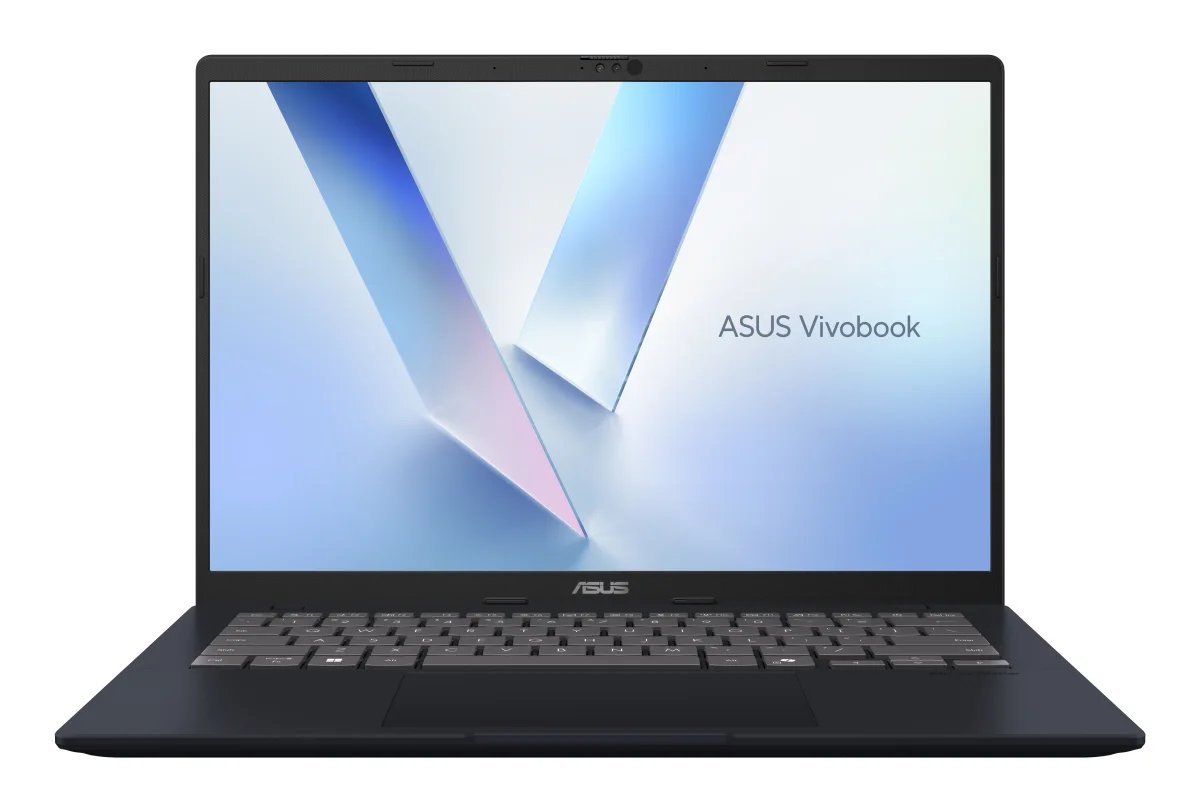
ASUS Vivobook 14 (M1407KA) – IPS-Level display
A 1.46 kg Windows 11 Home laptop with an AMD Ryzen AI 5 330. It fits the routine of moving between classrooms, meeting rooms and a desk.
Editorial Verdict“A compact notebook for coursework and office work with modest demands.”
Local LLM Capability (8k context · 4 GB OS reserve)
What fits in 32 GB on this chassis
Key Findings & Trade-offs
Every configuration pairs 16 GB of DDR5 memory with a 512 GB PCIe 4.0 NVMe SSD. That leaves room for office apps and documents, though a large local media library can eat into the storage quickly. The 42 Wh battery gives you less room for long stretches away from a socket.
The 1920 × 1200 panel gives documents and web pages a little more vertical room.
At 300 nits peak, the screen is better suited to indoor work.
Two USB-A and two USB-C ports let you plug in a wired mouse and a drive while keeping USB-C free.
- Students who take notes with course material open alongside them.
- Home office users who connect a monitor and wired accessories at their desk.
- You need a high-refresh panel for fast-paced games.
- You expect to add RAM as your workload grows.
Compatibility Notes
Verified Compatible Desk Gear
Matched on verified wattage & port specs


Where to Check Availability
Direct merchant link (no redirect). Editorial specs are never influenced by availability.Verified Technical Specifications
- Operating system
- Windows 11 Home
- nvme
- Yes
- M.2 SSD slots
- 1
- Memory type
- DDR5-SDRAM
- USB-C Power Delivery
- Yes
- Rated power supply
- 65 W
- Memory slots
- 0
- Weight
- 1.46 kg
- Battery
- 42 Wh
- HDMI ports
- 1
- Rated max memory
- 32 GB
- Panel
- IPS-Level
- Refresh rate
- 60 Hz
- DisplayPort Alt Mode
- Yes
- USB-A ports
- 2
- USB-C ports
- 2
- HDMI version
- 2.1
- Storage interface
- PCI Express 4.0
- product family
- Vivobook
- product series
- 14
- usb c charging
- Yes
- Max USB-C PD
- 65 W
- Min USB-C PD
- 45 W
- Display size
- 14″
- Resolution
- 1920 x 1200
- Peak brightness
- 300 nits
Verified Configurations & Identifiers (12)
Frequently Asked Questions
What graphics does the ASUS Vivobook 14 M1407KA use?
It uses AMD Radeon 820M graphics.
What is the screen refresh rate on the M1407KA?
The built-in screen runs at 60 Hz.