ASUS · 2026 · open_icecat
ASUS ProArt PZ14: 14" 3K OLED, Snapdragon X2E, 32 GB RAM
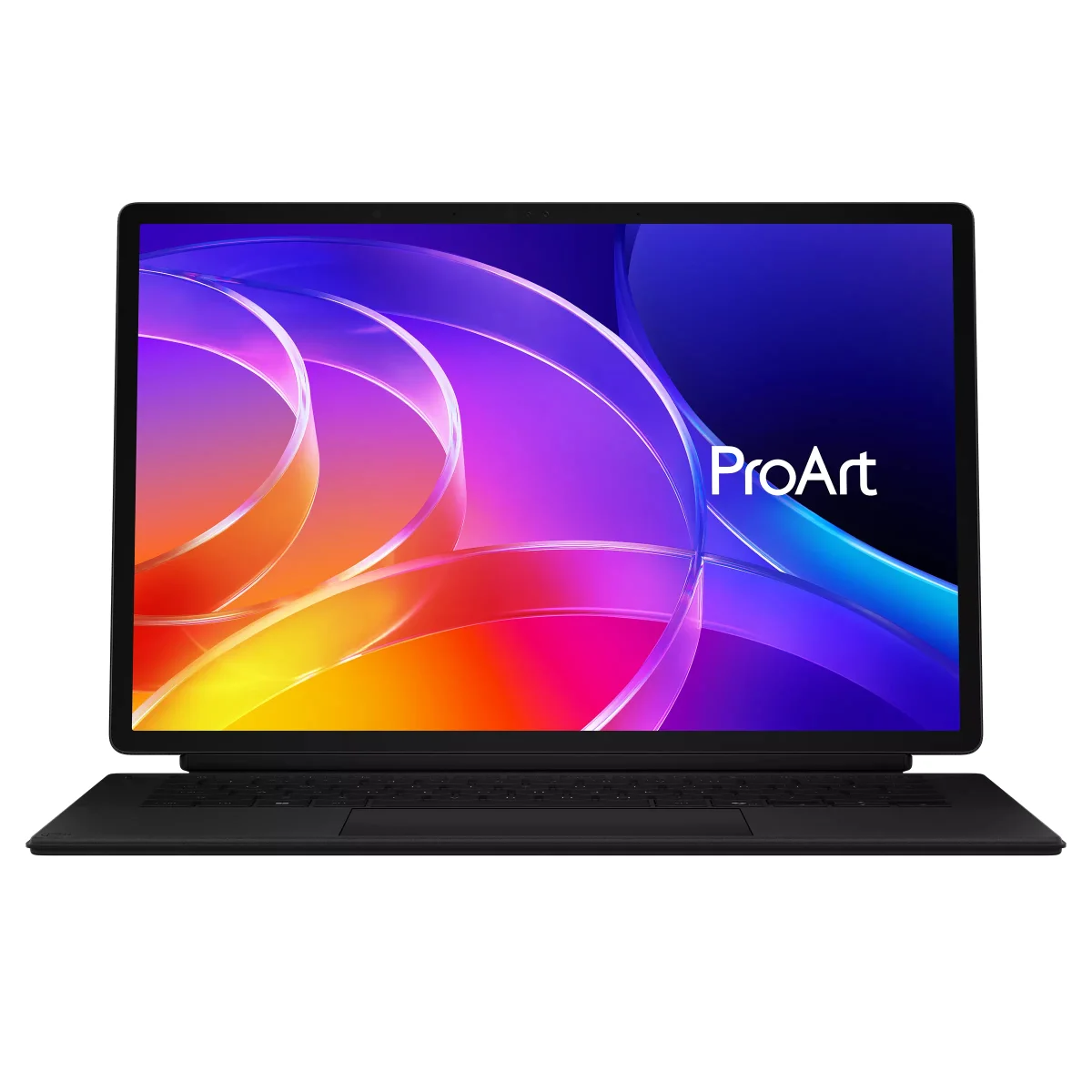
ASUS ProArt PZ14 is a 0.79 kg, 14-inch 144 Hz OLED laptop with a Snapdragon X2E-88-100, 32 GB soldered LPDDR5x and a 75 Wh battery.
Editorial Verdict“Light 14-inch OLED Arm laptop for creators, provided 32 GB of soldered RAM and Windows-on-Arm apps suit you.”
Local LLM Capability (8k context · 4 GB OS reserve)
What fits in 32 GB on this chassis
Key Findings & Trade-offs
A 14-inch 2880 x 1800 OLED (500 nits, 144 Hz) in a 0.79 kg body makes this a creator-leaning ultraportable. All four variants share the same Snapdragon X2E-88-100, 32 GB of LPDDR5x and 1 TB of storage.
Memory is soldered with no slots, so 32 GB is final. The single M.2 slot is the only upgrade path, and Windows-on-Arm app compatibility is worth checking before you commit.
14 inches at 2880 x 1800, 144 Hz and 500 nits peak. Sharp enough for photo and video timelines, and smooth when scrolling or scrubbing.
0.79 kg with a 75 Wh battery is a large cell for something this light, which helps on days away from a socket.
Arm processor with Adreno graphics, sold as a Copilot+ PC. Expect no dedicated GPU, and check that your editing and plug-in tools run on Windows on Arm.
68 W power supply, with USB-C charging that accepts PD from 45 W up to 100 W across two USB-C ports.
- Photographers and video editors who want an OLED screen in a laptop under 0.8 kg
- Windows 11 users who want a Copilot+ PC with a large battery and are comfortable with Arm software
- Travellers who like to carry one USB-C charger for laptop and phone
- You need more than 32 GB of RAM, since it cannot be upgraded
- You depend on x86-only apps, drivers or plug-ins that have no Arm version
- You need a dedicated GPU for 3D rendering or heavy GPU-accelerated effects
Compatibility Notes
Verified Compatible Desk Gear
Matched on verified wattage & port specs


Where to Check Availability
Direct merchant link (no redirect). Editorial specs are never influenced by availability.Verified Technical Specifications
- Operating system
- Windows 11 Home
- nvme
- Yes
- M.2 SSD slots
- 1
- Memory type
- LPDDR5x-SDRAM
- USB-C Power Delivery
- Yes
- Rated power supply
- 68 W
- Memory slots
- 0
- Weight
- 0.79 kg
- Battery
- 75 Wh
- Rated max memory
- 32 GB
- Panel
- OLED
- Refresh rate
- 144 Hz
- DisplayPort Alt Mode
- Yes
- USB-C ports
- 2
- Storage interface
- PCI Express 4.0
- product family
- ProArt
- product series
- PZ14
- usb c charging
- Yes
- Max USB-C PD
- 100 W
- Min USB-C PD
- 45 W
- Display size
- 14″
- Resolution
- 2880 x 1800
- Peak brightness
- 500 nits
Verified Configurations & Identifiers (4)
Frequently Asked Questions
Can I upgrade the RAM in the ASUS ProArt PZ14?
No. The 32 GB of LPDDR5x is soldered and there are zero RAM slots. Only the SSD can be changed, through the single M.2 slot.
What charger does the ProArt PZ14 use?
It uses a 68 W power supply. USB-C charging accepts Power Delivery from 45 W to 100 W, so third-party USB-C chargers in that range will work.
Can the ProArt PZ14 drive an external monitor over USB-C?
Yes. Its two USB-C ports support DisplayPort Alt Mode, so a USB-C monitor or a dock with video output can be connected.