ASUS · 2025 · open_icecat
ASUS ProArt P16 H7606WR: Ryzen AI 9 HX 370, RTX 5070 Ti, OLED
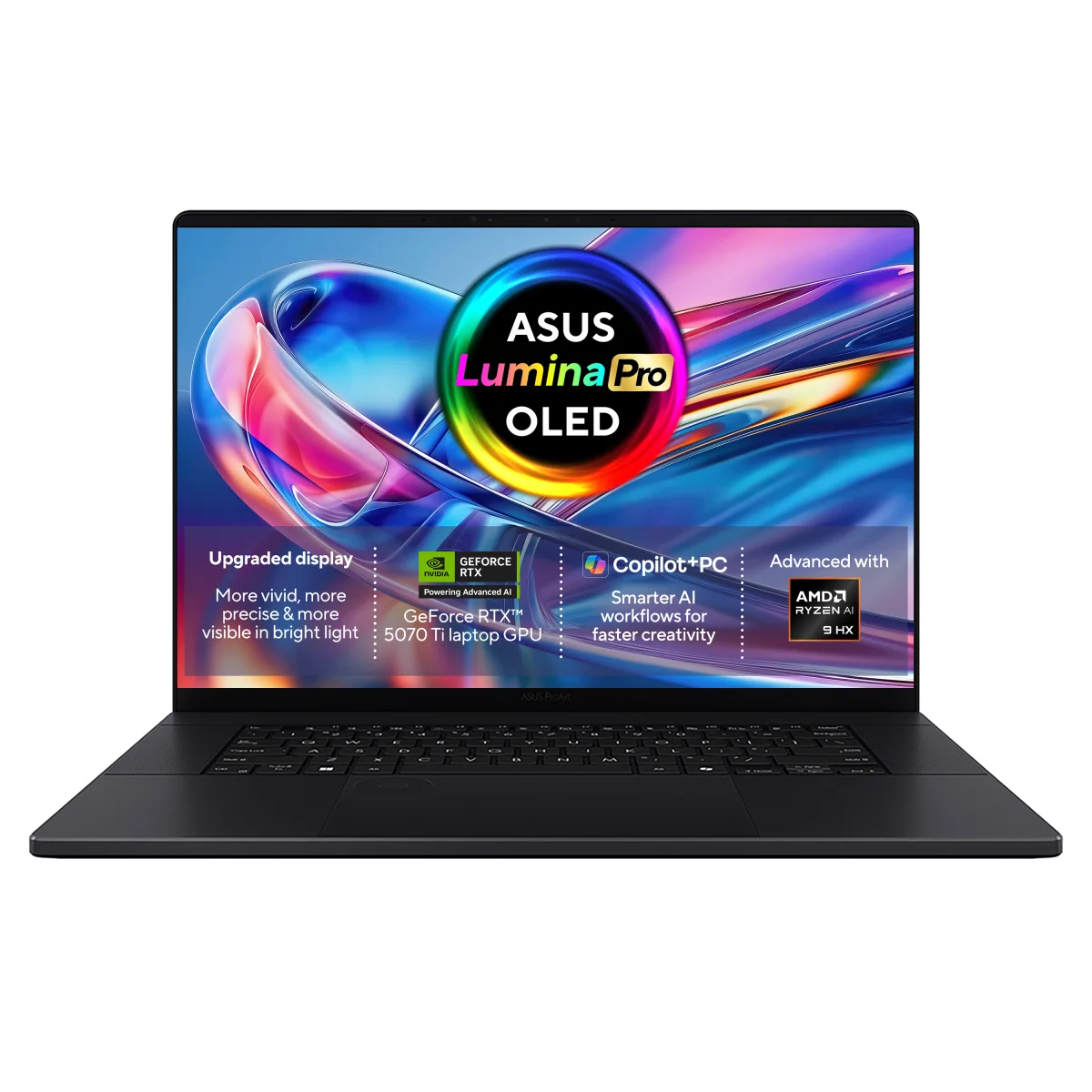
ASUS ProArt P16 (H7606WR) is a 16-inch 3840 x 2400 120 Hz OLED laptop with a Ryzen AI 9 HX 370, RTX 5070 Ti, 32 GB RAM and a 2 TB SSD.
Editorial Verdict“A powerful 16-inch OLED creator laptop, but RAM is fixed at 32 GB and USB-C cannot carry a full load.”
Local LLM Capability (8k context · 4 GB OS reserve)
What fits in 32 GB on this chassis
Key Findings & Trade-offs
The ProArt P16 pairs a 16-inch OLED with an RTX 5070 Ti and a 90 Wh battery, which means 1.95 kg in the bag and a 240 W power adapter. USB-C charging accepts 45 W to 100 W, so it works as a top-up, not as a full-load power source.
Both variants carry 32 GB of soldered LPDDR5x and a 2 TB SSD. There are no RAM slots, so 32 GB is the ceiling. Storage is the only upgrade path, through a single M.2 slot.
16-inch 3840 x 2400 at 120 Hz gives sharp detail for photo and video editing and smoother motion than a 60 Hz screen.
Ryzen AI 9 HX 370 with an RTX 5070 Ti covers GPU rendering, gaming and local AI workloads in one machine.
a 90 Wh battery paired with a 240 W adapter means a bulky charger if you want full performance away from your desk.
at 1.95 kg it is reasonable for a 16-inch GPU laptop, but you will notice it in a daily commute bag.
- Photo, video and 3D creators who want a color-rich 16-inch OLED and a dedicated RTX 5070 Ti in one laptop.
- Developers and AI hobbyists who want a Ryzen AI CPU plus an NVIDIA GPU for local models.
- Anyone who works mostly at a desk and is happy to carry a 240 W charger for full-speed sessions.
- You need more than 32 GB of RAM, since memory is soldered and cannot be upgraded.
- You want a light laptop for travel, as 1.95 kg plus a 240 W charger adds up.
- You expect to run full GPU workloads from a USB-C charger, which tops out at 100 W.
Compatibility Notes
Verified Compatible Desk Gear
Matched on verified wattage & port specs


Where to Check Availability
Direct merchant link (no redirect). Editorial specs are never influenced by availability.Verified Technical Specifications
- Operating system
- Windows 11 Home
- nvme
- Yes
- M.2 SSD slots
- 1
- Memory type
- LPDDR5x-SDRAM
- USB-C Power Delivery
- Yes
- Rated power supply
- 240 W
- Memory slots
- 0
- Weight
- 1.95 kg
- Battery
- 90 Wh
- HDMI ports
- 1
- Rated max memory
- 32 GB
- Panel
- OLED
- Refresh rate
- 120 Hz
- DisplayPort Alt Mode
- Yes
- USB-A ports
- 2
- USB-C ports
- 2
- HDMI version
- 2.1
- Storage interface
- PCI Express 4.0
- product family
- ProArt
- product series
- P16
- usb c charging
- Yes
- Max USB-C PD
- 100 W
- Min USB-C PD
- 45 W
- Display size
- 16″
- Resolution
- 3840 x 2400
Verified Configurations & Identifiers (2)
Frequently Asked Questions
Can the ProArt P16 H7606WR charge over USB-C?
Yes. USB-C PD charging works from 45 W to 100 W. The laptop's own adapter is 240 W, so USB-C suits top-ups and light work rather than full GPU load.
Can I upgrade the RAM or SSD?
RAM cannot be upgraded: 32 GB of LPDDR5x is soldered and there are no RAM slots. Storage can be changed through the single M.2 slot, which uses PCI Express 4.0 NVMe.
What external display connections does it have?
It has one HDMI 2.1 port, and its two USB-C ports support DisplayPort Alt Mode.