Acer · 2026 · energystar_v9, open_icecat
Acer Swift Spin 14 AI: Snapdragon X2 Elite, 16–32 GB, 120 Hz
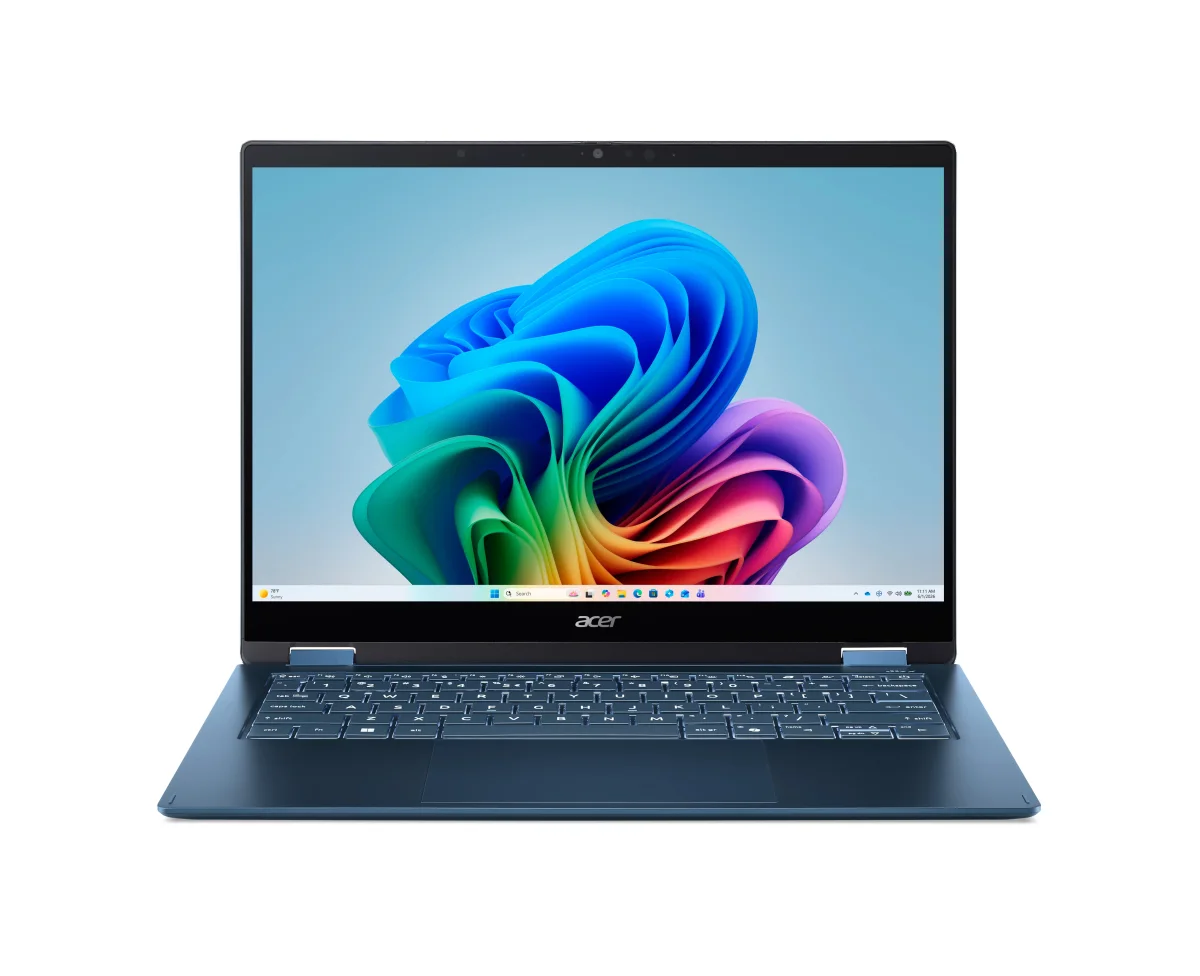
Acer Swift Spin 14 AI: a 1.34 kg Snapdragon X2 Elite convertible with a 14-inch 120 Hz touchscreen, 65 Wh battery and 16–32 GB of soldered RAM.
Editorial Verdict“Light Snapdragon convertible with a 120 Hz screen, but RAM is soldered and apps need an ARM check.”
Local LLM Capability (8k context · 4 GB OS reserve)
What fits in 32 GB on this chassis
Key Findings & Trade-offs
The Swift Spin 14 AI is a Windows-on-ARM convertible built around the Snapdragon X2 Elite, with an NPU, a 14-inch 1920 x 1200 IPS touch panel and a 100 W power supply. Three variants cover 16 to 32 GB of RAM, all with 512 GB of storage.
The trade-off is memory: LPDDR5x is soldered with no slots, so the RAM tier is fixed when you buy. The single M.2 slot takes an NVMe PCIe 4.0 SSD. Ports are two USB-C, two USB-A and one HDMI.
includes an NPU for on-device AI features. As a Windows-on-ARM chip, it is worth checking niche apps, drivers and peripherals first.
14-inch 1920 x 1200 IPS, so scrolling and touch input feel smoother than on 60 Hz. It is IPS, not OLED.
a portable pairing for a 14-inch touch convertible, though the 100 W power supply adds to the bag.
16 to 32 GB of LPDDR5x across variants, 512 GB of NVMe storage, and one M.2 slot for the SSD.
- Travellers who want a light 14-inch touch convertible with USB-C charging
- Windows users whose daily work is browser, Office and cloud apps that run well on ARM
- Buyers who want an NPU for on-device AI features
- You may want to add RAM later, since memory is soldered with no slots
- You depend on older x86 software, drivers or peripherals that may not run on Windows on ARM
- You need a built-in Ethernet port, more than two USB-A and USB-C ports combined, or an OLED panel
Compatibility Notes
Verified Compatible Desk Gear
Matched on verified wattage & port specs


Where to Check Availability
Direct merchant link (no redirect). Editorial specs are never influenced by availability.Verified Technical Specifications
- Operating system
- Windows 11 Pro
- nvme
- Yes
- Wired Ethernet
- No
- M.2 SSD slots
- 1
- Memory type
- LPDDR5x-SDRAM
- USB-C Power Delivery
- Yes
- Rated power supply
- 100 W
- Memory slots
- 0
- Weight
- 1.34 kg
- Battery
- 65 Wh
- HDMI ports
- 1
- Rated max memory
- 16 GB
- Panel
- IPS
- Refresh rate
- 120 Hz
- DisplayPort Alt Mode
- Yes
- USB-A ports
- 2
- USB-C ports
- 2
- Touchscreen
- Yes
- Integrated NPU
- Yes
- Storage interface
- PCI Express 4.0
- product family
- Swift
- usb c charging
- Yes
- Max USB-C PD
- 100 W
- Min USB-C PD
- 65 W
- Display size
- 14″
- Resolution
- 1920 x 1200
Verified Configurations & Identifiers (3)
Frequently Asked Questions
Can I upgrade the RAM on the Acer Swift Spin 14 AI?
No. The LPDDR5x memory is soldered, there are no RAM slots, and the maximum is 32 GB. Variants come with 16 to 32 GB.
Can the Swift Spin 14 AI charge over USB-C?
Yes. USB-C Power Delivery accepts 65 to 100 W, and the supplied power supply is rated at 100 W.
What ports does the Swift Spin 14 AI have?
Two USB-C ports with DisplayPort Alt Mode, two USB-A ports and one HDMI port. There is no Ethernet port.